Author: Swirlingfan Staff

  • Grow Your Own: The Rise of Indoor Hydroponic Gardening

    Grow Your Own: The Rise of Indoor Hydroponic Gardening

    From Counter to Plate in 30 Seconds

    Imagine plucking fresh basil leaves for your pasta sauce without stepping outside. No garden needed. No soil under your fingernails. Just reach across your kitchen counter, snip a few sprigs, and return to your stove before the garlic even finishes sizzling. This is the promise of indoor hydroponic gardening—hyper-local, farm-to-table food that grows right where you cook.

    Welcome to the future of home gardening, where a sunny windowsill is optional and fresh herbs are a year-round guarantee.

    The Apartment Farmer’s Revolution

    For decades, growing your own food meant having a backyard, a green thumb, and the patience to deal with weather, pests, and seasons that don’t cooperate. But indoor hydroponic systems have demolished those barriers. Whether you live in a studio apartment in Manhattan or a condo in Seattle, you can now cultivate a thriving garden in less space than a coffee maker occupies.

    The technology isn’t exactly new—NASA has been researching hydroponics for space missions since the 1990s—but what is new is how accessible and foolproof these systems have become for everyday people. Systems like the AeroGarden have transformed hydroponic gardening from a hobbyist’s science experiment into something as simple as brewing coffee.

    Why Hydroponics Works (And Why You’ll Love It)

    Hydroponics is the practice of growing plants without soil, using nutrient-rich water instead. While that might sound complicated, modern indoor systems handle all the complexity for you. Here’s why this method is taking over kitchen counters everywhere:

    It’s faster. Hydroponic plants grow up to 25% faster than their soil-based counterparts because their roots have direct access to nutrients and oxygen. That basil plant? Ready to harvest in as little as three weeks.

    It’s cleaner. No dirt means no mess. No weeding. No worrying about overwatering or underwatering. The system does the watering for you on a precise schedule.

    It works anywhere. No outdoor space? No problem. No natural light? Many systems come with built-in full-spectrum LED grow lights that mimic the sun. You could grow lettuce in a windowless basement if you wanted to.

    It’s productive. Because you control every variable—light, nutrients, water—plants thrive in ways they rarely do in traditional gardens. You’ll harvest more from a compact countertop system than you ever did from that neglected herb pot on your fire escape.

    The AeroGarden Effect: Making It Ridiculously Easy

    The AeroGarden has become something of a gateway drug for indoor gardening enthusiasts, and for good reason. These sleek, pod-based systems remove virtually every obstacle between you and fresh food. You insert pre-seeded pods into the machine, add water and liquid nutrients, and press a button. The system’s built-in lights turn on and off automatically, the pump aerates the water, and within days, you see sprouts.

    The company offers models ranging from compact 3-pod systems (perfect for a small apartment) to sprawling 24-pod gardens that can feed a family. You can grow classic Italian herbs, spicy peppers, cherry tomatoes, salad greens, edible flowers, and even strawberries. The variety is staggering.

    But AeroGarden isn’t alone. Competitors like Click & Grow, iDOO, and Rise Gardens offer their own takes on the concept, each with unique features. Some focus on minimalist Scandinavian design, others on maximum yield, and still others on smartphone connectivity that lets you monitor your garden remotely.

    What You Can Actually Grow

    Let’s be realistic: you’re not going to grow corn or watermelons on your kitchen counter. But the range of what you can grow is impressive and practical.

    Herbs are the obvious starting point. Basil, cilantro, parsley, thyme, mint, dill—all the expensive little plastic clamshells you buy at the grocery store and watch wilt in your fridge. Instead, harvest exactly what you need, when you need it. The flavor difference between fresh-cut herbs and store-bought is night and day.

    Salad greens are another home run. Lettuce, arugula, kale, and spinach grow quickly and continuously. You can practice “cut and come again” harvesting, snipping outer leaves while the plant keeps producing. One compact system can provide enough salad greens for two people indefinitely.

    Tomatoes and peppers require larger systems but are absolutely doable. Cherry tomatoes, in particular, are prolific in hydroponic setups. There’s something deeply satisfying about harvesting sun-warm (LED-warm?) tomatoes in February.

    Microgreens have exploded in popularity among indoor gardeners. These nutrient-dense baby plants—think pea shoots, radish greens, and sunflower sprouts—are ready to harvest in 1-2 weeks and command premium prices at restaurants and farmers markets.

    The Real Benefits: Beyond the Basil

    Yes, the herbs are great. But the real transformation happens when you realize what indoor hydroponic gardening represents.

    Food security in uncertain times. Supply chain disruptions, inflation, recalls—when grocery stores feel less reliable, having a source of fresh food at home provides genuine peace of mind. It’s not about prepping for doomsday; it’s about resilience.

    Teaching kids where food comes from. Children who grow up in cities often have no connection to agriculture. An indoor garden is a living science lesson. Kids learn about plant biology, responsibility, patience, and nutrition—all from a glowing box on the counter.

    Mental health wins. Multiple studies have shown that tending to plants reduces stress and anxiety. Even the simple act of checking on your garden in the morning becomes a calming ritual. Plus, there’s genuine joy in eating something you grew yourself, even if it’s just garnish for your tacos.

    Environmental impact. While hydroponics does use electricity (those LED lights aren’t free), the water efficiency is remarkable—hydroponic systems use up to 90% less water than traditional soil gardening. And by growing food at home, you eliminate the carbon footprint of transportation, refrigeration, and packaging.

    Getting Started: What You Need to Know

    If you’re tempted to try indoor hydroponic gardening, here’s the honest truth about what to expect.

    Initial investment: Expect to spend $100-$300 for a quality starter system. That might seem steep, but compare it to buying fresh herbs at $3-$5 per package weekly. Most people break even within a few months.

    Maintenance: It’s low, but it’s not zero. You’ll need to refill water every week or two, add nutrients, and occasionally prune plants. Think of it as caring for a very rewarding houseplant.

    Electricity costs: LED grow lights are efficient, but they do run 12-16 hours daily. Expect an extra $5-$15 per month on your electricity bill, depending on your system size.

    Learning curve: Minimal. Most systems are designed for complete beginners. You’ll learn as you go, but catastrophic failure is rare. The worst-case scenario is usually “my basil got leggy because I didn’t prune it enough”—easily fixed next time.

    Space: Most countertop systems need about 12-18 inches of space and access to an electrical outlet. Larger systems might require dedicated shelf space or a corner of your kitchen.

    The Future on Your Counter

    Indoor hydroponic gardening represents something bigger than just a trendy appliance. It’s part of a broader shift toward self-sufficiency, sustainability, and a desire to reconnect with our food sources. In an increasingly urbanized world where most people have never planted a seed, these systems offer a gentle on-ramp to growing your own food.

    Is it going to replace your weekly grocery run? Of course not. But it will change how you cook, how you think about freshness, and maybe even how you see that empty corner of your kitchen counter.

    That’s the magic of having a farm-to-table garden that’s literally on your table. The distance from plant to plate isn’t measured in miles—it’s measured in arm’s length. And once you’ve experienced that kind of fresh, you’ll wonder how you ever lived without it.

    Ready to start growing? Your counter is waiting.


    Have you tried indoor hydroponic gardening? What’s growing in your kitchen right now? Share your experiences in the comments below.

  • Master the “Carry-On Only” Lifestyle: Viral Travel Gear That Changed Everything

    Master the “Carry-On Only” Lifestyle: Viral Travel Gear That Changed Everything

    There’s a particular smugness that comes with walking past the baggage claim carousel while everyone else anxiously watches for their luggage. You know the feeling—weaving through crowds of tired travelers while your perfectly organized carry-on glides behind you. You’re out of the airport before most people have even spotted their first suitcase making its sluggish rounds.

    This is the carry-on only lifestyle, and it’s become something of a movement among modern travelers who’ve cracked the code on efficient packing.

    The New Travel Status Symbols

    Forget designer luggage tags. Today’s seasoned travelers signal their expertise through a carefully curated set of viral travel gear that’s equal parts functional and fashionable. Walk through any airport terminal and you’ll spot them: the gleaming Stanley tumblers tucked into side pockets, the telltale bulge of compression packing cubes visible through open bags during security checks, the confident stride of someone who knows exactly where everything is.

    These aren’t just products—they’ve become badges of honor for the carry-on elite.

    The Compression Cube Revolution

    Let’s talk about the game-changer that made carry-on only travel actually feasible for trips longer than a weekend: compression packing cubes.

    Traditional packing cubes organized your stuff. Compression packing cubes perform magic.

    How They Work: These aren’t your basic fabric squares. Compression cubes feature a two-zipper system—one zipper closes the cube normally, and a second zipper compresses everything down to nearly half its original volume. It’s like vacuum-sealing your clothes without the bulky machine.

    Why They’ve Gone Viral: TikTok and Instagram are filled with satisfying videos of travelers stuffing what looks like a week’s worth of clothes into a single carry-on. The visual transformation is addictive—watching a puffy cube of clothing shrink down to a sleek, compact package has an ASMR-like quality that keeps viewers coming back for more.

    The Real Benefits:

    • Fit 5-7 days of clothing in a standard carry-on (yes, really)
    • Keep outfits organized by day, type, or activity
    • Prevent the dreaded “explosion” when you open your bag
    • Protect clothes from wrinkles better than rolling or folding alone
    • Make repacking a breeze instead of a battle

    Pro Tip: Color-code your cubes. Navy for shirts, gray for pants, burgundy for undergarments. When you’re fumbling through your bag in a dark hostel room or cramped airplane bathroom, you’ll thank yourself.

    The Water Bottle Wars: Stanley vs. Owala

    In what might be the most unexpected travel accessory debate of the decade, water bottles have become serious status symbols. But this isn’t about hydration—it’s about identity.

    Team Stanley

    The Stanley Quencher took over social media like a tidal wave. These chunky, colorful tumblers with their distinctive tapered shape and handle have achieved cult status.

    Why Travelers Love Them:

    • Fits in most cup holders (crucial for long car rides to the airport)
    • Keeps drinks cold for literally hours—fill it with ice at home, and it’s still there when you land
    • The handle makes it easy to carry while juggling boarding passes and phones
    • Enormous capacity means fewer refills
    • The straw is genuinely convenient during flights

    The Controversy: These things are huge. They barely fit in standard water bottle pockets, making them slightly impractical for actual travel despite their popularity. But travelers have embraced them anyway, treating the Stanley as a statement piece that says, “I’m committed to sustainability and I know what’s trending.”

    Insider Move: Get a limited edition color. The resale market for discontinued Stanley shades is wild, and spotting a rare colorway at airport security is like a secret handshake among collectors.

    Team Owala

    Then came Owala, the scrappy underdog that won over travelers with actual functionality.

    The Owala Advantage:

    • Sleeker profile that actually fits in side pockets
    • Dual-drinking options (sip or swig) via the FreeSip design
    • One-handed operation—push a button to open, no unscrewing caps mid-flight
    • Leak-proof when closed (critical when it’s shoved in a bag)
    • Lighter weight than Stanley equivalents

    The Appeal: Owala users tend to be the practical travelers who’ve moved beyond trend-chasing into pure efficiency. These bottles disappeared from shelves after viral TikTok reviews praised their thoughtful design details.

    Best Feature: That satisfying click when the FreeSip lid locks into place. It’s the sound of security—no more paranoid checking to make sure your bottle isn’t leaking all over your laptop.

    The Verdict?

    Honestly, both have earned their viral status. Stanley if you prioritize capacity and aesthetic; Owala if you value packability and one-handed operation. The real winner? Any traveler who’s hydrating properly instead of buying $7 airport water bottles.

    Building Your Carry-On Only System

    Having the right gear is only part of the equation. Here’s how to actually make the carry-on lifestyle work:

    The Capsule Wardrobe Approach: Choose a color palette (black, white, olive works for almost anything) and ensure every piece works with every other piece. Five tops and three bottoms in coordinating colors create 15 different outfits.

    The Outfit Cube Method: Use your compression cubes to create complete outfits. One cube = one day. No more digging through your entire bag to find matching socks.

    The Strategic Layering System: Instead of packing a heavy jacket, bring a packable down layer, a lightweight shell, and a merino wool base. Together they handle any weather; separately they’re flexible options.

    The Digital Detox (Sort Of): Take photos of your important documents and email them to yourself. Scan credit cards, passport, prescriptions. You need the physical items, but having digital backups can save you if things go sideways.

    The Laundry Sink Hack: Pack a small bottle of concentrated laundry detergent and resign yourself to doing a quick sink wash every 3-4 days. It’s less romantic than it sounds, but it means you can travel indefinitely with a carry-on.

    The Psychology of Traveling Light

    There’s something deeply freeing about knowing everything you need fits in the overhead compartment. You become more decisive, more mobile, more adaptable.

    Missed your connection? No problem—your bag is with you, not circling some airport in another time zone. Want to take a spontaneous train to a different city? Easy—you’re not anchored by checked luggage. Need to dash through the airport for a tight connection? You’re already halfway there while others wait for their bags.

    The carry-on only lifestyle isn’t about deprivation—it’s about liberation.

    The Gatekeeping Is Real (And Kind of Fun)

    Once you’ve mastered carry-on travel, you’ll notice yourself mentally judging people at baggage claim. It’s petty. It’s unnecessary. It’s also completely unavoidable.

    You’ll find yourself in airport bathrooms teaching strangers about compression cubes. You’ll evangelize about your water bottle choice with the fervor of a recent convert. You’ll time yourself from landing to leaving the airport and try to beat your personal record.

    This is normal. Welcome to the club.

    Final Thoughts: Is It Worth the Hype?

    The carry-on only lifestyle has gone viral for a reason—it genuinely transforms how you travel. Those compression cubes and status-symbol water bottles aren’t just trendy; they’re actually useful tools that solve real problems.

    Does it take practice? Absolutely. Will you occasionally wish you had more options? Sure. But there’s nothing quite like that feeling of walking off a plane, through the airport, and directly to your destination while everyone else is still waiting for their luggage to appear.

    Plus, you’ll save hundreds in checked bag fees over time. Those viral water bottles basically pay for themselves.

    So grab your compression cubes, choose your water bottle tribe, and join the ranks of travelers who’ve discovered that sometimes less really is more—especially when it’s perfectly organized and fits neatly in the overhead bin.


    Now if you’ll excuse me, I need to go stare at limited edition Stanley colors I definitely don’t need but absolutely want.

  • The Modern Pet Parent’s Tech Kit: Safety Meets Convenience

    The Modern Pet Parent’s Tech Kit: Safety Meets Convenience

    Peace of mind for you and a “luxury” lifestyle for your furry best friend.


    Let’s be honest: we’re all a little obsessed with our pets. They’re not just animals—they’re family members with their own Instagram accounts, birthday parties, and yes, now their own tech ecosystems. But here’s the thing: in 2026, pet tech isn’t just about spoiling your fur baby (though that’s a nice bonus). It’s about solving real problems for busy pet parents who refuse to compromise on their pet’s safety, health, and happiness.

    Whether you’re hustling between meetings, traveling for work, or just trying to maintain some semblance of work-life balance, modern pet technology has evolved from “nice to have” to “how did we ever live without this?” Let me walk you through the two game-changing categories that belong in every modern pet parent’s arsenal.

    GPS Trackers: Because “Lost Pet” Posters Belong in the Past

    Remember the panic of realizing your dog slipped out the back gate? Or that sinking feeling when your indoor cat didn’t come running at dinner time? GPS trackers have transformed that nightmare scenario into a minor inconvenience.

    Why GPS Trackers Are Non-Negotiable in 2026

    Today’s pet GPS trackers aren’t the bulky, battery-draining devices of yesteryear. They’re sleek, lightweight, and packed with features that go way beyond basic location tracking:

    Real-Time Location Updates: Modern trackers ping your pet’s location every few seconds, not minutes. Some advanced models even offer live tracking mode when you’re actively searching, so you can watch their movement in real-time as you approach.

    Geo-Fencing Alerts: Set up virtual boundaries around your home, yard, or neighborhood. The moment your adventurous escape artist crosses that invisible line, you get an instant notification on your phone. It’s like having a security system specifically for your pet.

    Activity Monitoring: Many GPS trackers double as fitness trackers, monitoring your pet’s daily activity levels, rest patterns, and even calories burned. It’s surprisingly helpful for catching early signs of illness—when your normally energetic dog suddenly becomes sedentary, you’ll know immediately.

    Multi-Pet Management: Got a whole crew? Premium trackers let you monitor multiple pets from a single app, each with their own profile, safe zones, and activity goals.

    The Peace of Mind Factor

    Here’s what nobody tells you about GPS trackers: they don’t just help you find lost pets. They change your entire relationship with letting your pet outside. That constant low-level anxiety about whether they’ll come back? Gone. You can let your dog explore the dog park off-leash with confidence, or allow your outdoor cat their wandering time without worry.

    One pet parent told me she finally started sleeping through the night after getting a GPS tracker for her Houdini-like beagle. “I used to wake up three times a night to check if he was still in the yard,” she said. “Now I just glance at my phone. Game changer.”

    What to Look For

    Not all GPS trackers are created equal. Here’s what matters in 2026:

    • Battery life: Look for at least 5-7 days on a single charge for active use
    • Network coverage: LTE connectivity beats Bluetooth-only options every time
    • Water resistance: Because pets and puddles are a guaranteed combination
    • Subscription costs: Factor in the monthly service fee for cellular connectivity
    • Size and weight: Especially crucial for cats and small dogs

    Automatic Litter Boxes: The Revolution Your Nose Has Been Waiting For

    If GPS trackers solve the “where is my pet?” problem, automatic litter boxes solve the “I love my cat, but I hate scooping” dilemma we’ve all pretended doesn’t exist.

    The 2026 Litter Box Isn’t Your Mom’s Litter Box

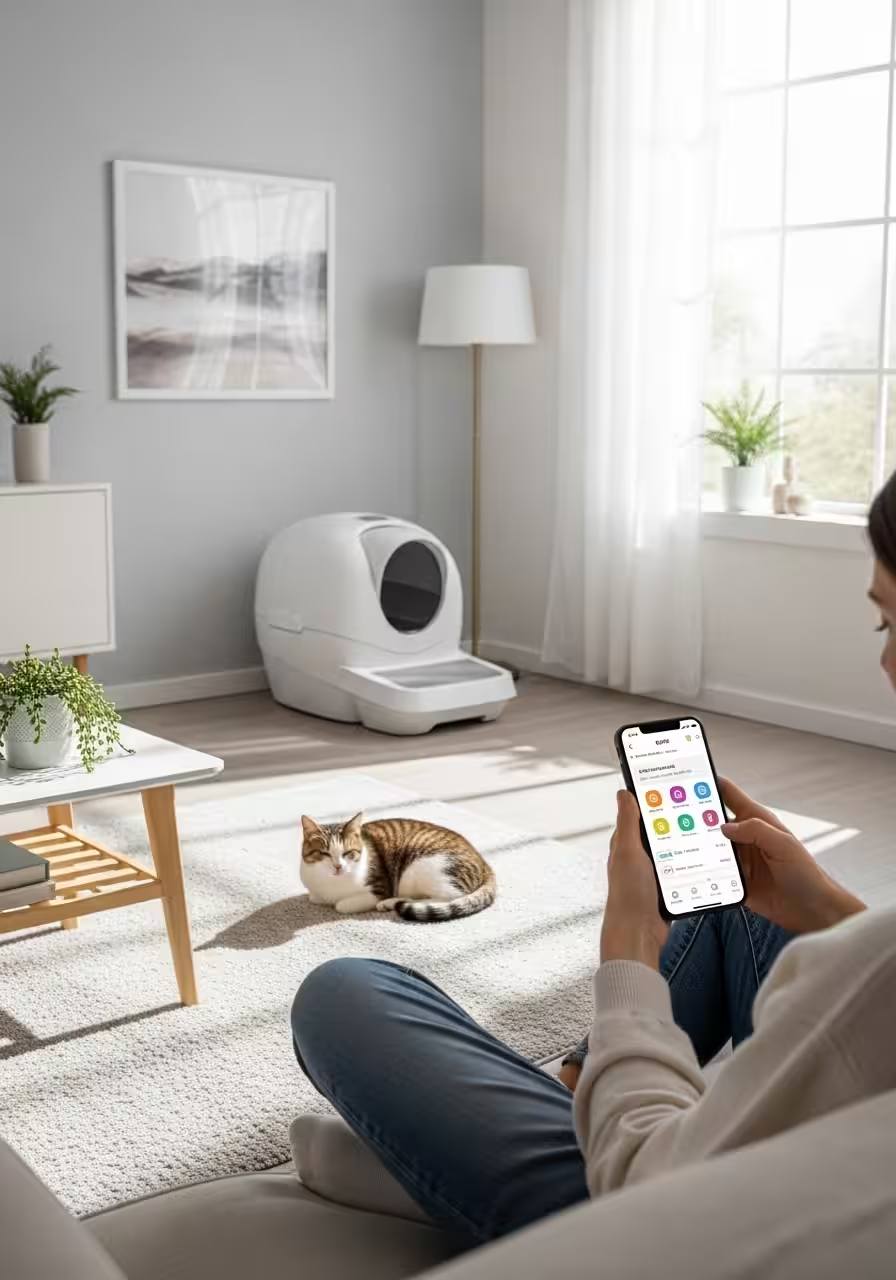
    Today’s automatic litter boxes are sophisticated pieces of engineering that would make a robot vacuum jealous. We’re talking sensors, app connectivity, self-cleaning mechanisms, and odor control systems that actually work.

    Self-Cleaning on a Schedule: Most models automatically rake or rotate the litter box within minutes after your cat uses it. No more coming home to a day’s worth of… evidence. The waste gets deposited into a sealed compartment that you empty once a week (or less, depending on your cat count).

    Health Monitoring: This is where it gets really interesting. Premium automatic litter boxes now track your cat’s bathroom habits with surprising precision. Frequency, duration, weight trends—all logged in an app. Your vet will be impressed, and you might catch health issues like urinary tract infections or diabetes weeks earlier than you would have otherwise.

    Odor Control Systems: Carbon filters, sealed waste drawers, and even built-in deodorizers mean your home actually smells like a home, not a litter box with furniture around it.

    Multi-Cat Households: Advanced models use weight sensors or RFID tags to identify which cat used the box and track individual health metrics. Yes, really.

    The Convenience Factor

    Let’s talk about what automatic litter boxes really give you back: time and flexibility. Going away for a long weekend? No problem—no need to impose on friends or hire a pet sitter just for litter duty. Working late? Your cat’s bathroom situation is handled. Recovering from surgery or dealing with mobility issues? One less physical task to worry about.

    Is It Worth the Investment?

    Automatic litter boxes range from $200 to $600+, which feels steep until you calculate what you’re actually getting. Beyond the obvious convenience, consider:

    • Litter efficiency: Many designs use less litter overall because they remove only soiled portions
    • Health insights: Early detection of one illness could save you thousands in emergency vet bills
    • Consistency: Your cat gets a clean bathroom every single time, which can reduce behavioral issues
    • Your sanity: Quantifying this is impossible, but it’s real

    One caveat: some cats are suspicious of newfangled contraptions. Most automatic litter boxes recommend a gradual introduction period, keeping the old box around until your cat adjusts. Most do, but not all, so check the return policy.

    Building Your Complete Pet Parent Tech Kit

    GPS trackers and automatic litter boxes are just the beginning. The modern pet parent’s tech ecosystem might also include:

    • Smart feeders with portion control and scheduling
    • Pet cameras with two-way audio and treat dispensers
    • Automated water fountains that encourage hydration
    • Smart doors that only open for your pet (using their microchip)
    • Temperature-controlled beds for senior pets with arthritis

    The common thread? All of these technologies solve real problems while giving your pet a better quality of life and giving you more freedom to live yours.

    The Bottom Line: Investment in Peace of Mind

    Is pet tech expensive? It can be. A GPS tracker might run you $25-50/month with the subscription. A quality automatic litter box is a few hundred dollars upfront. Smart feeders, cameras, and everything else adds up.

    But here’s the reframe: what’s the cost of constant worry? What’s the value of being able to travel for work without guilt? How much would you pay to catch a health issue before it becomes an emergency?

    For most pet parents in 2026, these aren’t luxury items—they’re practical tools that make pet ownership sustainable in the context of modern life. They’re the difference between feeling perpetually stressed about your pet’s wellbeing and actually enjoying your relationship with them.

    Your pet gets a safer, healthier, more comfortable life. You get peace of mind and time back in your day. That’s not spoiling them—that’s smart parenting.


    Ready to upgrade your pet parent game? Start with one piece of tech that solves your biggest pain point. For the anxious types, that’s a GPS tracker. For the “I’m so tired of scooping” crowd, it’s an automatic litter box. Either way, welcome to pet parenting in 2026—where technology meets unconditional love, and everyone wins.

    What pet tech has transformed your life? Drop a comment below and share your favorites with fellow pet parents navigating the modern pet lifestyle.

  • Rent-Friendly Renovations: High-Impact DIYs for Your Apartment

    Rent-Friendly Renovations: High-Impact DIYs for Your Apartment

    Making a space truly yours without the “permanent” price tag or landlord drama.


    You know that feeling when you first walk into your new rental? The beige walls. The builder-grade everything. The light fixtures that look like they time-traveled from 1987. You want to make it yours, but your lease agreement reads like a legal thriller where the villain is “unauthorized alterations.”

    Here’s the thing: your security deposit doesn’t have to be a hostage situation. You can transform your rental into a space that actually reflects who you are—without drilling, without demolition, and without your landlord’s phone number suddenly appearing on your screen with that dreaded call.

    Let’s dive into the high-impact, reversible upgrades that’ll make your apartment feel like home (and still get you that deposit back).

    Why Rent-Friendly Renovations Matter

    The average American renter moves every two years. That’s a lot of beige walls to stare at if you’re not making your space work for you. But beyond aesthetics, there’s something deeper here: your environment affects your mood, productivity, and overall well-being. A space that feels like you isn’t a luxury—it’s mental health infrastructure.

    The challenge? Most rentals come with strict rules about modifications. Drill into the wrong wall, paint the wrong color, or install the wrong fixture, and you’re looking at deductions that make your security deposit vanish faster than your motivation on a Monday morning.

    Enter: the rent-friendly renovation revolution.

    The Peel-and-Stick Power Moves

    1. Removable Wallpaper: The Game-Changer

    If you haven’t discovered peel-and-stick wallpaper yet, prepare for your mind to be blown. This isn’t your grandmother’s wallpaper that required a paste mixer and three days of commitment issues.

    The upgrade: Modern removable wallpaper goes up in hours and comes down in minutes—without damaging paint or leaving residue.

    Where to use it:

    • Accent walls: One bold wall behind your bed or sofa changes the entire room’s energy
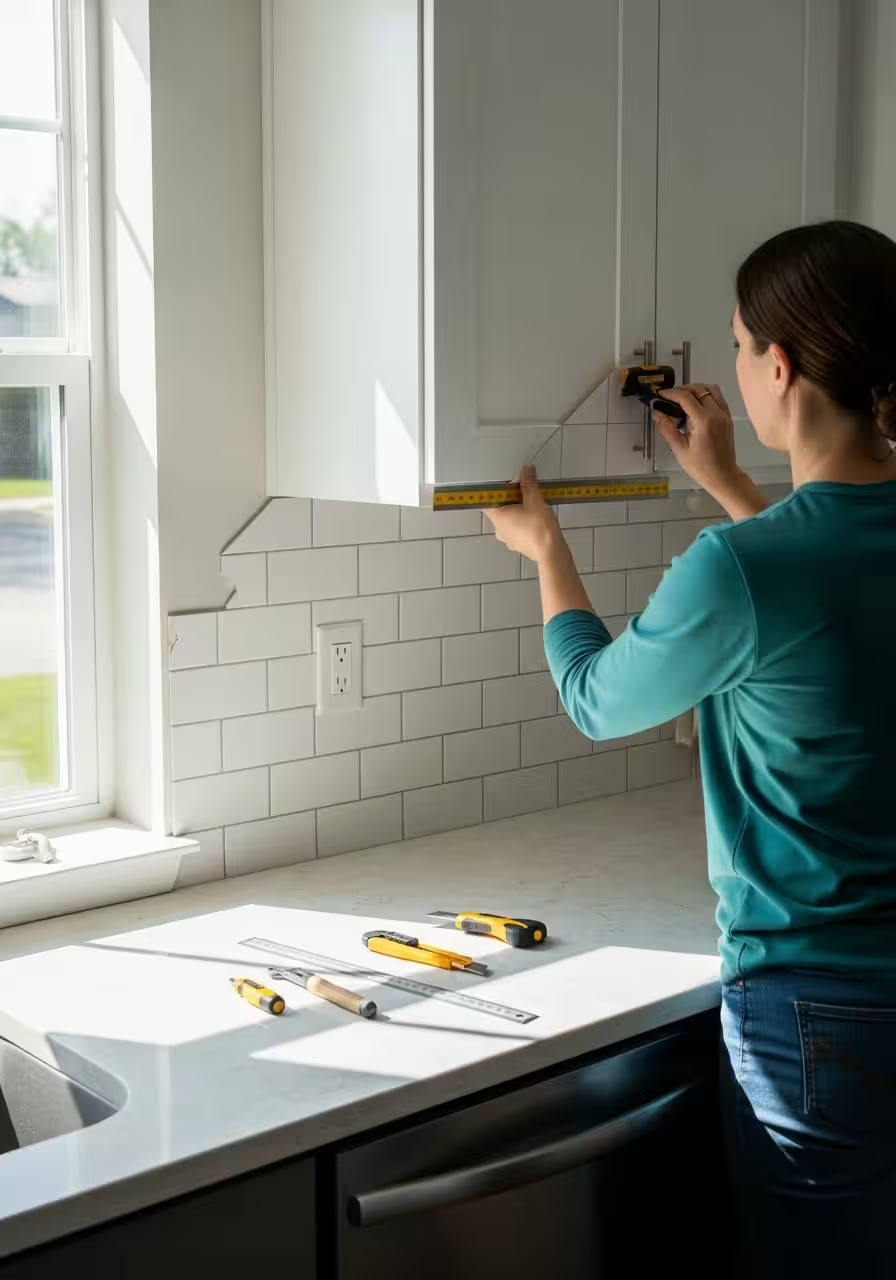
    • Kitchen backsplashes: Subway tile, moroccan patterns, or marble-look designs
    • Closet interiors: Because why should your clothes have all the fun?
    • Bathroom walls: Yes, it’s moisture-resistant now

    Pro tips:

    • Clean and dry your walls thoroughly before applying
    • Start from the top and work down, smoothing bubbles as you go
    • Use a credit card or squeegee to work out air pockets
    • Keep a hair dryer handy—gentle heat helps with repositioning

    Budget: $30-60 per roll (covers about 28 square feet)

    Time investment: 1-3 hours for a standard accent wall

    2. Peel-and-Stick Tile: Instant Kitchen Glow-Up

    That rental kitchen with the dated backsplash (or no backsplash at all) is about to get a serious upgrade.

    The upgrade: Peel-and-stick tiles now come in incredibly realistic finishes—subway tile, hexagon, moroccan, marble, and even 3D textures.

    Application areas:

    • Kitchen backsplashes (the obvious winner)
    • Bathroom walls around sinks
    • Fireplace surrounds
    • Behind open shelving

    Installation hack: Measure twice, stick once. Use a level app on your phone to keep lines straight. Most tiles are forgiving for about 30 seconds after application, so work methodically.

    Budget: $15-40 per square foot

    Time investment: 2-4 hours for a standard kitchen backsplash

    3. Vinyl Floor Planks: Goodbye, Mystery Stains

    That carpet with the questionable history? Those scuffed laminate floors? We’re covering them up.

    The upgrade: Peel-and-stick vinyl planks now look remarkably like real hardwood or natural stone. They’re waterproof, durable, and completely removable.

    Installation reality check:

    • Clean the existing floor obsessively (seriously, dust will haunt you)
    • Start from the farthest corner and work toward the door
    • Stagger the seams for a natural look
    • Use a utility knife and straight edge for cuts

    Pro move: Lay planks perpendicular to windows to make rooms look wider.

    Budget: $1.50-4 per square foot

    Time investment: A weekend for an average bedroom

    Lighting: The Transformation You Can See

    Lighting is the most underestimated element in any space. Bad lighting makes everything look terrible—even you. Good lighting makes a studio apartment feel like an architectural digest spread.

    4. Motion-Sensor Lighting: Function Meets Future

    Nothing says “I have my life together” like lights that just know what you need.

    The upgrade: Battery-powered motion-sensor lights eliminate the need for electrical work entirely.

    Strategic placement:

    • Under cabinets: Illuminate counters without installing hardwired fixtures
    • Closets: Because fumbling in the dark for your shoes at 6 AM is not a vibe
    • Hallways: No more stumbling to the bathroom at 2 AM
    • Pantries: Find the snacks faster
    • Behind monitors: Reduce eye strain with automatic bias lighting

    Top products:

    • LED strip lights with motion activation
    • Battery-powered puck lights
    • Wireless under-cabinet bars

    Pro tip: Look for lights with adjustable sensitivity and duration settings. You don’t want your closet light going off mid-outfit selection.

    Budget: $15-50 per fixture

    Time investment: 10-20 minutes per installation (just peel and stick or screw into place)

    5. Smart Bulbs: Rent-Friendly Brain Upgrade

    Your existing light fixtures aren’t going anywhere, but what goes in them absolutely can change.

    The upgrade: Smart bulbs screw into standard sockets but give you color control, dimming, scheduling, and voice control.

    Real-world applications:

    • Wake up to gradually brightening light instead of an alarm
    • Set “focus mode” with cool-toned bright light for work
    • Switch to warm, dimmed lighting for evenings
    • Create preset scenes for different moods

    Budget: $10-25 per bulb

    Time investment: 2 minutes per bulb (it’s literally just screwing in a light bulb)

    6. Pendant Light Swaps: The Easiest Dramatic Change

    Most leases allow you to swap light fixtures as long as you keep the originals and reinstall them when you leave.

    The upgrade: Replace those builder-grade flush-mount ceiling lights with statement pendants or chandeliers.

    How to do it safely:

    1. Turn off the breaker (seriously, don’t skip this)
    2. Remove the old fixture and keep ALL hardware
    3. Install your new fixture using the existing electrical box
    4. Store the original carefully for move-out day

    Budget: $40-200 per fixture

    Time investment: 30-60 minutes per fixture

    The Hardware Revolution

    7. Cabinet Hardware: Small Change, Big Impact

    Swapping out drawer pulls and cabinet knobs is possibly the highest ROI upgrade you can make.

    The upgrade: Modern hardware transforms dated kitchens and bathrooms instantly.

    Installation:

    • Keep all original hardware in a labeled ziplock bag
    • Most handles use the same hole spacing—just unscrew old, screw in new
    • If holes don’t match, use backplates to cover old holes

    Style tip: Matte black or brushed brass reads more current than chrome or traditional bronze.

    Budget: $2-10 per pull/knob

    Time investment: 1-2 hours for a full kitchen

    8. Door Upgrading (Without Removing Doors)

    Contact paper on doors: Yes, you can transform hollow-core doors with high-quality contact paper or removable wallpaper. Faux wood grain, bold colors, or modern patterns completely change the feel.

    Temporary door panels: Add board-and-batten style with lightweight foam panels attached with Command strips.

    Budget: $20-50 per door

    Time investment: 1-2 hours per door

    Storage Solutions That Don’t Breach Your Lease

    9. Floating Shelves (The Damage-Free Way)

    Yes, you can have floating shelves without drilling.

    The upgrade: Heavy-duty adhesive strips now support significant weight (some up to 16 pounds).

    Application:

    • Display shelves for books and plants
    • Bathroom storage
    • Kitchen organization
    • Command picture-hanging strips work for lighter decorative shelves

    Reality check: For heavier items, consider freestanding ladder shelves or bookcase-style units instead.

    Budget: $20-60 per shelf

    Time investment: 15-30 minutes per shelf

    10. Tension Rod Everything

    Tension rods aren’t just for shower curtains anymore.

    Creative uses:

    • Extra closet rod for seasonal clothes
    • Under-sink storage (hang spray bottles from a tension rod)
    • Room dividers with curtains
    • Pan lid organizers inside cabinets
    • Plant display systems near windows

    Budget: $10-30 per rod

    Time investment: 2 minutes per installation

    The Window Treatment Upgrade

    11. Curtains That Transform

    Your rental probably came with blinds that make a sound like a paper shredder when you touch them.

    The upgrade: Floor-to-ceiling curtains on tension rods or Command hooks.

    Styling secrets:

    • Hang curtains as close to the ceiling as possible
    • Extend rods 6-12 inches beyond window frames
    • Choose curtains that just kiss or puddle on the floor
    • Layer sheers with blackout for versatility

    No-drill installation:

    • Kwik-Hang brackets (damage-free)
    • Command hooks for lightweight curtains
    • Pressure-mounted rods for inside window frames

    Budget: $25-100 per window

    Time investment: 30 minutes per window

    Bathroom Upgrades Without the Plumber

    12. Shower Curtain as Statement Piece

    Your shower curtain is the largest visual element in most bathrooms. Treat it accordingly.

    The upgrade: A bold, beautiful shower curtain transforms the entire space.

    Bonus moves:

    • Replace the standard shower head with a handheld or rainfall version (keep the original)
    • Add a curved shower rod for more elbow room
    • Use a decorative tension rod instead of the standard white one

    Budget: $20-80 for curtain, $25-60 for better shower head

    Time investment: 20 minutes total

    13. Mirror Makeover

    Can’t replace that builder-grade mirror? Frame it instead.

    The upgrade: Attach decorative molding around the edges with adhesive (or liquid nails that can be removed with dental floss and a hair dryer).

    Budget: $30-80 depending on mirror size

    Time investment: 1-2 hours

    The Finishing Touches

    14. Area Rugs: Define Your Space

    Rugs are the most underutilized tool in rental decorating.

    Strategic use:

    • Define zones in studio apartments
    • Cover worn carpets or dated flooring
    • Add warmth and acoustics
    • Anchor furniture groupings

    Size matters: In living rooms, all furniture should fit on the rug or at least have front legs on it. Too-small rugs make spaces feel choppy.

    Budget: $50-300 depending on size and quality

    Time investment: Instant gratification

    15. Removable Hooks and Organization

    Command hooks have evolved. Now there are:

    • Picture-hanging systems
    • Heavy-duty utility hooks
    • Decorative hooks
    • Wire management systems

    Places you’re probably underutilizing:

    • Inside cabinet doors
    • Behind doors for robes, bags, towels
    • Walls for vertical bike storage
    • Corners for jewelry organization

    Budget: $5-20 per pack

    Time investment: Minutes

    The Move-Out Strategy

    Here’s the thing that separates rent-friendly renovations from regular renovations: you need an exit strategy.

    Documentation:

    • Photograph everything before you start
    • Keep receipts and original hardware in labeled containers
    • Set calendar reminders 30 days before lease end to start reversal

    Removal checklist:

    • Heat + plastic scraper for adhesive residue
    • Goo Gone for stubborn spots
    • Touch-up paint (ask landlord for paint code)
    • Original hardware organized by room
    • Helper friend (bribes: pizza and beer)

    Timeline: Plan for a full weekend to reverse all changes before final walkthrough.

    The Real Talk: What’s Actually Worth It?

    Not every upgrade makes sense for every rental or every renter. Here’s how to decide:

    Do it if:

    • You’re planning to stay 1+ years
    • The upgrade improves daily function (lighting, storage)
    • It costs less than $200 and dramatically improves your happiness
    • It’s easily reversible

    Skip it if:

    • You’re moving in less than 6 months
    • The upgrade is purely aesthetic and doesn’t affect how you use the space
    • It costs more than 50% of your security deposit
    • It requires skills you don’t have (electrical work, plumbing)

    The Bottom Line

    Your rental doesn’t have to feel like a temporary holding pattern. With smart, reversible upgrades, you can create a space that feels authentically yours—without the landlord drama or the security deposit sacrifice.

    Start small. Maybe it’s just swapping out the light bulbs this weekend. Maybe it’s one accent wall. Maybe it’s finally getting motion-sensor lights so your 2 AM bathroom trips don’t involve toe-stubbing disasters.

    The point isn’t to do everything. The point is to do something. Because you deserve to live in a space that feels good, even if the lease says you can’t paint it.

    Now go forth and peel-and-stick your way to happiness. Your security deposit will thank you.


    What’s your favorite rent-friendly upgrade? Drop a comment below and share your best reversible renovation wins.

  • The Presidents’ Day Early-Access Shopping Strategy: Timing the Market for Premium Tech

    The Presidents’ Day Early-Access Shopping Strategy: Timing the Market for Premium Tech

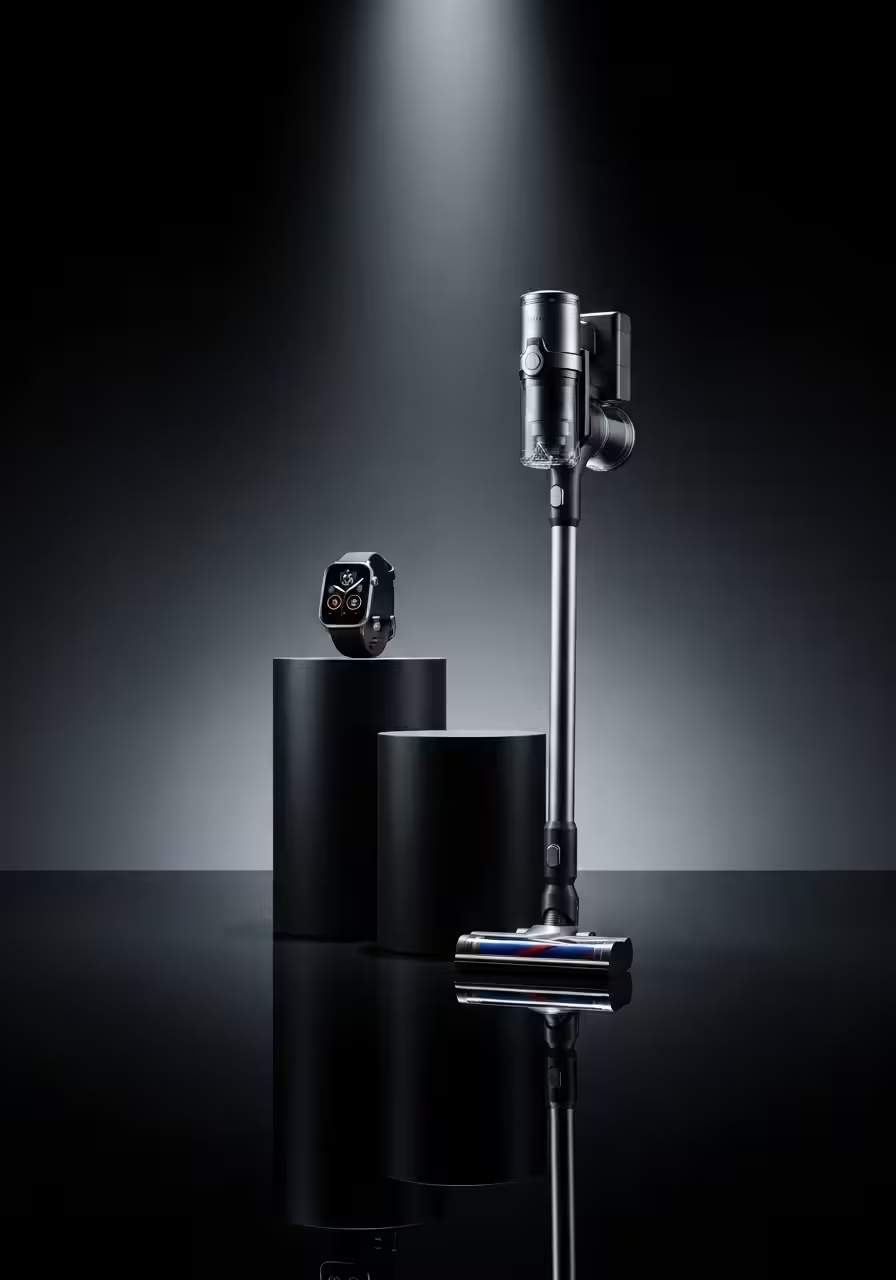
    The secret to snagging an Apple Watch Series 11 or Dyson vacuum at rock-bottom prices? It’s not waiting for Black Friday.

    Every February, while most shoppers are still recovering from holiday spending, savvy deal-hunters know something the masses don’t: Presidents’ Day weekend offers the lowest prices of the year on premium electronics and home appliances. We’re talking 20-40% off items that rarely see meaningful discounts—the kind that make you actually open your wallet for that upgrade you’ve been postponing.

    But here’s the catch: the best deals aren’t on Presidents’ Day itself. They’re in the early-access windows that open days before, and they sell out fast.

    Why Presidents’ Day Beats Black Friday for Premium Tech

    Let me be blunt: Black Friday is overrated for high-end electronics. Sure, you’ll find deals, but they’re often on last year’s models or limited to specific configurations that nobody actually wants. Retailers know you’re coming, and they’ve prepared accordingly—with manufactured scarcity and “doorbusters” designed more for headlines than for actual consumer value.

    Presidents’ Day operates on different economics. Retailers are clearing inventory to make room for spring releases, and they’re targeting a smaller, less frenzied audience. The result? Deeper discounts on current models, better stock availability, and deals that actually last more than 47 seconds.

    The timing is particularly perfect for two product categories: smartwatches and premium home appliances. Both see major releases in the fall, which means by February, retailers are motivated to move current inventory before the next generation is even announced.

    The Apple Watch Series 11: Your Window Opens Thursday Before

    If you’re targeting an Apple Watch Series 11, forget about showing up on Monday. The meaningful discounts start appearing the Thursday or Friday before Presidents’ Day, and here’s your playbook:

    Early-Access Timeline:

    • Thursday (7-9 days before): Amazon typically launches its Presidents’ Day sale with 15-18% off Apple Watch Series 11. This is your baseline—don’t bite yet unless you see 20% or more.
    • Friday-Saturday: Best Buy and Target match or beat Amazon by 2-3%. This is when you’ll see the Series 11 GPS model drop from $399 to $299-$319, and the GPS + Cellular variant fall from $499 to $379-$399.
    • Sunday-Monday: Walmart enters late but sometimes offers the steepest cuts, particularly on cellular models. Last year, they hit $369 for the GPS + Cellular 45mm—the best price we tracked all year.

    What to Actually Buy: Not all Apple Watch deals are created equal. The GPS-only model in 41mm sees the deepest percentage discounts (often 25%), but the 45mm GPS + Cellular model offers better absolute value if you’re planning to keep the watch for 2+ years. The cellular capability typically costs you $100 extra at full price, but during Presidents’ Day sales, that premium often shrinks to $40-60.

    Skip the specialty bands in these sales—they rarely see meaningful discounts and you can find better prices on those year-round from third parties. Focus on the watch itself.

    Color and Configuration Strategy: Midnight and Starlight colorways always have the best stock and therefore the most competitive pricing. If you’re flexible on color, you’ll have more opportunities to strike. The (PRODUCT)RED editions sometimes see slightly steeper discounts (an extra 2-3%) because they move slower, despite the cause marketing.

    Where NOT to Shop: The Apple Store itself rarely participates in Presidents’ Day sales beyond offering educational discounts or trade-in bonuses. You’re better off with authorized resellers. Also skip carriers like Verizon or AT&T—their “deals” almost always require new line activations or multi-year contracts that erase any real savings.

    Dyson Vacuums: The $200-$250 Sweet Spot

    Dyson has become the poster child for “luxury appliances I never thought I’d care about until I tried one,” and Presidents’ Day is when that $500-$700 sticker shock becomes manageable.

    The Models to Target:

    Dyson V15 Detect: Usually $749, drops to $499-$549 during Presidents’ Day sales. This is the sweet spot model—it has the laser dust detection and LCD screen without the absolute top-tier price of the Gen5. If you see this at $499 or below, that’s your signal to buy.

    Dyson Gen5 Detect: The flagship cordless. Retails for $949, but Presidents’ Day sales can bring it down to $649-$699. Worth the premium over the V15 if you have a large home (2,000+ sq ft) or pets that shed aggressively, otherwise the V15 is the smarter value.

    Dyson Ball Animal 3: The corded upright workhorse. Normally $549, drops to $399-$449. If you don’t care about cordless and just want pure suction power for wall-to-wall carpet, this is your play.

    Early-Access Timeline for Dyson: Unlike Apple products, Dyson deals tend to pop up sporadically across different retailers rather than in a synchronized wave. Here’s how to navigate it:

    • 10-14 days before Presidents’ Day: Dyson’s own website often launches early with 20% off select models plus free accessories (extra filters, tool kits worth $50-100). These deals are solid but not spectacular—use them as your price ceiling, not your target.
    • Week of Presidents’ Day: Costco members see the best absolute prices, often $50-75 below other retailers, but selection is limited to 2-3 models. If you have a membership and they’re stocking your target model, this is likely your best bet.
    • Saturday-Monday of Presidents’ Day weekend: Amazon, Best Buy, and Target compete aggressively. Set price alerts on all three for your specific model. We’ve seen prices swing by $50-70 between Saturday morning and Sunday afternoon.

    The Trade-Off Nobody Tells You: Dyson refurbished units through the manufacturer’s own outlet are available year-round at 20-30% off and come with the same warranty as new. During Presidents’ Day sales, the gap between refurbished and new-on-sale shrinks to about 10-15%. If you’re germophobic about used appliances, this is when you can justify buying new. If you’re purely price-focused, refurbished is still the play even during the sale.

    Configuration Decisions: Every Dyson cordless vacuum gets marketed with different accessories and attachments. The Presidents’ Day bundles often include extra tools that add $100-150 to the perceived value but that you’ll realistically never use. The mini motorized tool for pet hair? Essential. The flexible crevice tool? You’ll use it once. Don’t let accessory bundles drive your decision—focus on the base unit price.

    The Early-Access Execution Plan

    Here’s your tactical checklist for the week before Presidents’ Day:

    7-10 Days Out:

    • Create accounts at Amazon, Best Buy, Target, and Costco (if you have membership)
    • Download the Honey browser extension and RetailMeNot app for additional coupon stacking
    • Set up price alerts using CamelCamelCamel for Amazon and Slickdeals for broader tracking
    • Have payment info saved to enable one-click purchases when deals drop

    5-7 Days Out:

    • Check historical pricing on your target items using Keepa or CamelCamelCamel—this prevents you from falling for “fake discounts” where retailers inflate the original price
    • Join brand-specific subreddits like r/AppleWatch or r/VacuumCleaners where deal-hunters share real-time finds
    • Consider opening a store credit card if you’re already shopping that retailer—Best Buy, Target, and Amazon all offer 5-10% additional discounts for new cardholders, which stacks on top of sale prices

    Thursday-Friday Before:

    • Set phone alerts for 6 AM, 12 PM, and 6 PM—major deals drop at these times
    • Check deal aggregators (Slickdeals, Brad’s Deals, DealNews) every 4-6 hours
    • Be ready to purchase immediately when your target price hits—hesitation costs you in these sales

    The Weekend:

    • If you haven’t pulled the trigger yet, Saturday evening and Sunday morning see the most aggressive price matching between retailers
    • Sunday afternoon to Monday morning is your last chance for early-access deals before the masses arrive

    Presidents’ Day Monday:

    • By now, the best deals are mostly gone, but occasionally retailers will add “flash sales” on limited quantities
    • If you struck out on early access, this is your Hail Mary, not your primary strategy

    The Price Protection Safety Net

    Here’s a trick that transforms you from deal-hunter to deal-guarantor: strategic credit card choice.

    Several credit cards offer price protection or return protection that essentially gives you a 60-90 day window to find a better price:

    • Citi Custom Cash Card: 60 days of price protection up to $500 per item
    • Chase Freedom Flex: Return protection (if the retailer won’t take it back, Chase will reimburse you)
    • American Express Blue Cash Preferred: 90-day return protection

    The play: Buy during early-access at what seems like a good price. Continue monitoring for the next 60-90 days. If it drops lower, either file a price protection claim or buy the cheaper one and return the first using your card’s return protection.

    This strategy removes the stress of perfect timing. You’re no longer trying to catch lightning in a bottle—you’re creating a 2-3 month window to guarantee you get the best price that occurs during that period.

    When to Walk Away

    Not every Presidents’ Day “deal” deserves your money. Here are the red flags that signal you should wait:

    The discount is less than 15% on a product that’s 6+ months old. If the Apple Watch Series 11 launched in September and it’s now February, a 10% discount isn’t a deal—it’s retailers slow-walking inevitable price decay.

    The sale requires bundling with products you don’t need. “Buy a Dyson vacuum and get a $100 air purifier!” sounds great until you realize the vacuum is $50 more than competitors and you don’t need an air purifier.

    “While supplies last” with no inventory transparency. If a retailer won’t tell you how many units they have in stock, it’s probably a bait-and-switch to get you in the door (physical or digital) for a “comparable alternative” at a higher price.

    The deal is only on the base configuration of a product where the base is genuinely inadequate. Lowest-storage iPhones, entry-level laptops with 4GB RAM—some base models are false economies no matter the discount.

    The Alternative Play: Next-Gen Waiting

    Here’s the contrarian take: for some people, the best Presidents’ Day strategy is buying nothing.

    If Apple announces the Apple Watch Series 12 in September 2026, you can bet that the Series 11 will see even steeper discounts next holiday season. Same with Dyson—the V16 is likely in development, which means the V15 will eventually hit $399 or below.

    The question isn’t “Is this a good deal?” It’s “Is this a good deal relative to my need for the product right now?”

    If your current vacuum works fine and your watch is holding up, the financial optimization might be to bank the $300-700 you’d spend now, let it grow for 8-10 months, and pounce on even better deals next Black Friday or Presidents’ Day 2027 on newer technology.

    The math: $500 saved now, invested in a conservative index fund at 8% annual return, becomes $530 in 10 months. If the deal is 20% better next year (not uncommon as products age), you’re coming out ahead financially AND getting newer tech.

    But if your current device is dying, or the quality-of-life upgrade is substantial, don’t false-economy yourself into waiting forever. The best deal is the one that improves your life now at a price you can justify.

    Your 48-Hour Countdown

    We’re now in the final stretch. Here’s your hour-by-hour execution plan for the last 48 hours before Presidents’ Day:

    48 Hours Out (Saturday Morning):

    • Final price check on all monitored retailers
    • Verify everything is in your cart and payment info is current
    • Set up alerts for the next 48 hours

    36 Hours Out (Saturday Evening):

    • This is when Best Buy often drops surprise doorbusters
    • Check your email for early-access codes from retailers where you have accounts

    24 Hours Out (Sunday Morning):

    • Amazon sometimes launches 24-hour flash deals
    • Last chance to scout any local retailers you haven’t checked

    12 Hours Out (Sunday Evening):

    • Final decision point—if your target price has hit, buy now
    • Waiting until Monday is gambling that stock will remain and prices will drop further (they usually don’t)

    Monday Morning:

    • If you haven’t bought yet, check at 6 AM, 9 AM, and 12 PM for final waves of deals
    • By 3 PM, most inventory is picked over—if you haven’t found your deal, start planning for the next sales cycle

    The Truth About “Limited Time Offers”

    Here’s what retailers won’t tell you: these Presidents’ Day deals? They’re not as limited as the countdown timers suggest.

    Most major retailers extend these “limited-time” prices for 2-4 days after Presidents’ Day itself, especially if inventory isn’t moving as fast as projected. The scarcity marketing is designed to create urgency, but if you miss Monday’s deadline, check Tuesday and Wednesday before giving up.

    That said, the truly spectacular deals—the Apple Watch at 25% off or the Dyson Gen5 below $650—those are legitimately limited. Either by inventory constraints or retailer loss-tolerance, those prices don’t last. If you see your target price hit, you pull the trigger. The extended deals are typically the 15-18% discounts, not the 25-30% unicorns.

    The Bottom Line

    Presidents’ Day shopping for premium tech isn’t about waking up at 5 AM on Monday to fight virtual crowds. It’s about strategic positioning in the 7-10 days before, understanding product cycles, and knowing which deals are real versus which are marketing theater.

    Your Apple Watch Series 11 GPS + Cellular should cost you $379-$399, not $499. Your Dyson V15 should be $499-$549, not $749. If you’re paying more than that, you’re either shopping at the wrong time or falling for the retail equivalent of a shell game.

    Set your alerts. Know your prices. And remember: the best deal is the one that meets your needs at a price that doesn’t require justification or regret.

    The market timing is in your favor. Now execute.

  • Office Ergonomics 2.0: The Secret to Ending “Zoom Fatigue”

    Office Ergonomics 2.0: The Secret to Ending “Zoom Fatigue”

    You know the feeling. It’s 3 PM, you’re halfway through your sixth video call of the day, and you’re already dreading the seventh. Your eyes feel like sandpaper. Your shoulders are somewhere up near your ears. And despite sitting in a $600 ergonomic chair, you feel like you’ve run a marathon—except the only thing that moved was your cursor.

    Welcome to Zoom fatigue, the modern workplace epidemic that no amount of standing desks can cure.

    But here’s what most people miss: traditional ergonomics solved yesterday’s problems. They gave us better chairs for typing-heavy work and adjustable desks for posture. What they didn’t account for was spending 40+ hours a week staring into a camera, being stared back at, while sitting completely still.

    The solution? Office Ergonomics 2.0—a new approach that goes beyond furniture to address the unique drains of video-heavy work: lighting that makes you look (and feel) human, movement that happens while you work, and strategic breaks for your overstimulated brain.

    The Real Problem: Why Video Calls Exhaust You

    Before we fix it, let’s understand what’s actually happening. Zoom fatigue isn’t just tiredness—it’s a perfect storm of modern work stressors:

    The Mirror Effect: Imagine going to in-person meetings with a mirror pointed at your face all day. That’s essentially what video calls do. Research from Stanford shows that this constant self-view triggers anxiety and hyper-awareness of how we appear to others.

    Cognitive Overload: In face-to-face conversations, your brain effortlessly processes dozens of non-verbal cues. On video, those cues are delayed, pixelated, or missing entirely. Your brain works overtime trying to decode them, burning through mental energy at an alarming rate.

    The Statue Syndrome: Traditional office work at least allowed you to shift, stand, walk to the printer, or grab coffee. Video calls chain you to one spot, within camera frame, often for hours at a time. Your body wasn’t designed for this kind of stillness.

    Bad Lighting = Bad Energy: Ever notice how you look gray and exhausted on camera even when you’re not? That harsh overhead lighting isn’t doing you any favors. And here’s the thing: when you look tired, you start to feel tired. It’s a psychological feedback loop that drains your energy faster than the meetings themselves.

    The Lighting Fix: Look Better, Feel Better

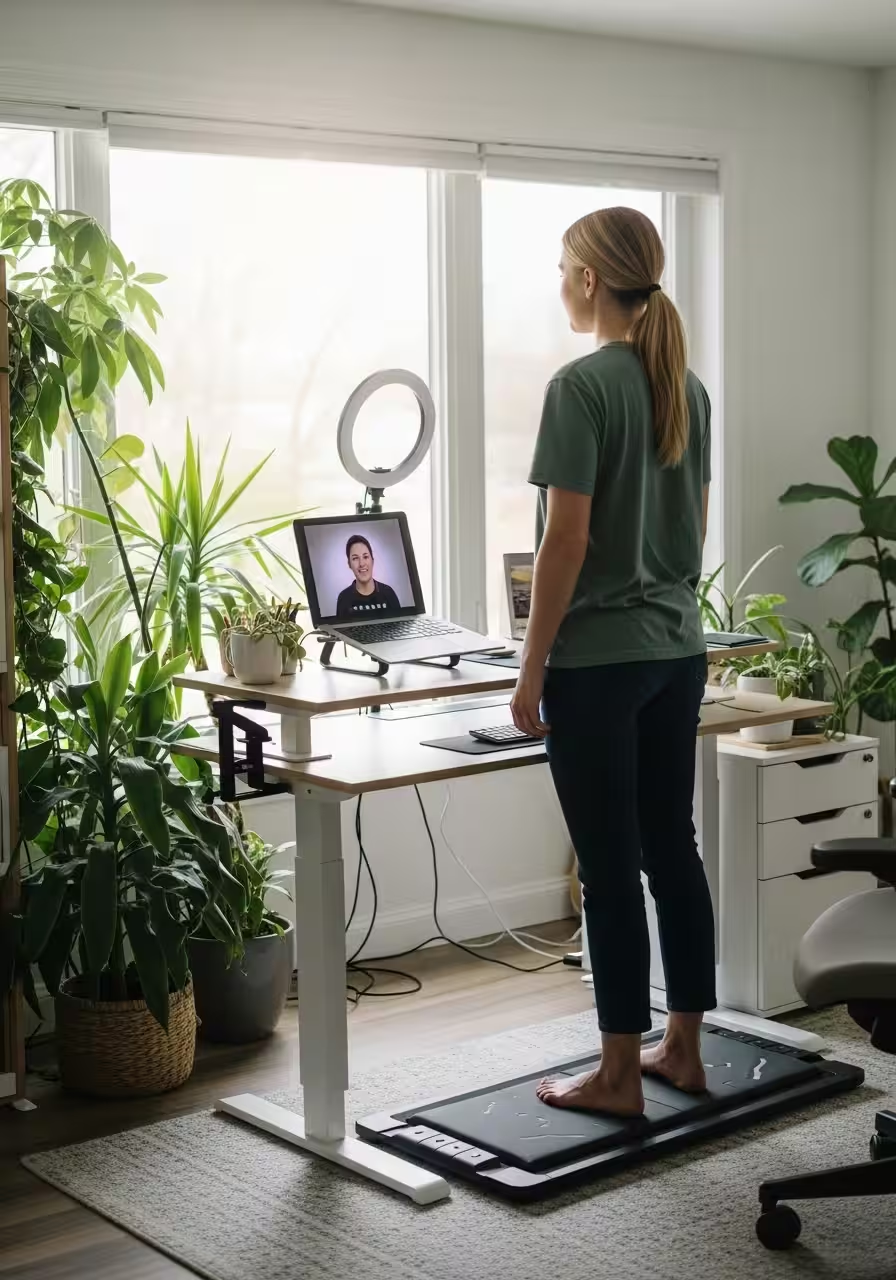
    Let’s start with the simplest upgrade that delivers outsized results: clamp-on lighting.

    Not ring lights. Not expensive studio setups. Just smart, adjustable lighting that makes you look like the alive, competent human you actually are.

    Why It Matters

    Good lighting does three things simultaneously:

    1. Reduces eye strain by eliminating harsh shadows and bright spots
    2. Boosts confidence when you see yourself looking professional and energized
    3. Improves focus by creating visual boundaries between “work mode” and “off mode”

    What to Get

    Look for LED clamp lights with three key features:

    • Adjustable color temperature (2700K-6500K range): Warm light for late afternoon calls, cooler light for morning energy
    • Dimming capability: Brightness that adapts to your natural lighting throughout the day
    • Flexible gooseneck or arm: Position it at 45 degrees from your face, slightly above eye level

    Position one light on each side of your monitor, angled toward your face. This creates soft, even lighting that eliminates the “interrogation room” vibe of overhead fluorescents.

    Pro tip: Set your lighting temperature to match your energy needs. Morning brainstorm? Go cooler (5000K+) for alertness. Afternoon creative session? Warmer tones (3500K) reduce strain.

    The investment? About $40-80 for a quality clamp light. The return? You’ll actually want to turn your camera on.

    The Movement Solution: Walk While You Work

    Now for the game-changer: under-desk walking pads.

    Yes, treadmills for your desk. No, you won’t look ridiculous. Yes, it actually works.

    The Science of Moving Meetings

    Studies from the Mayo Clinic show that gentle walking (1.5-2 mph) during cognitive tasks actually improves focus and creativity. The movement increases blood flow to your brain without demanding enough attention to distract from your work.

    More importantly, it breaks the “statue syndrome.” Your body gets to do what it’s designed for—move—while your mind stays engaged with work.

    What to Look For

    The best under-desk walking pads have:

    • Ultra-quiet motors (under 45 decibels): Your colleagues shouldn’t hear your workout
    • Flat, space-saving design: Slides under most desks when not in use
    • Simple controls: Speed adjustment via remote, no complicated interfaces
    • Non-slip surface: Safety first, especially during animated discussions

    How to Use It

    Start small. Walk during:

    • One-on-one check-ins where you’re mostly listening
    • Large team meetings where you’re not presenting
    • Podcast-style calls or webinars

    Gradually work up to walking during more active participation. Most people find that 1.5 mph is the sweet spot—fast enough to feel energized, slow enough to type or take notes comfortably.

    The 2-Hour Rule: Aim to spend at least two hours of your workday on the pad. That’s 3-4 miles of walking you wouldn’t have gotten otherwise, plus the compounding benefits of sustained movement.

    The investment? $200-400 for a solid walking pad. The return? You’ll finish your eighth Zoom call with energy to spare.

    The Screen Strategy: Work With Your Biology, Not Against It

    Even with perfect lighting and movement, your eyes need a break from screens. Ergonomics 2.0 means being strategic about when and how you’re on camera.

    The 20-20-20 Rule, Upgraded

    Traditional advice says every 20 minutes, look at something 20 feet away for 20 seconds. Great in theory. Impossible during back-to-back meetings.

    The upgrade: Strategic camera breaks.

    During longer meetings:

    • Turn your camera off during screen shares (you’re not the focus anyway)
    • Look away from the screen during the first 60 seconds of calls (you’re still present, just protecting your eyes)
    • Stand and look out a window during natural transitions

    The Camera-Off Manifesto

    Normalize camera-off meetings when faces don’t add value. Internal brainstorms? Status updates? Deep work sessions? Your colleagues don’t need to see you nodding.

    Save your camera energy for:

    • Client presentations
    • First-time introductions
    • Sensitive conversations where non-verbal cues matter
    • Team celebrations and social events

    This isn’t about hiding. It’s about preserving your mental bandwidth for when it actually counts.

    Putting It All Together: Your Anti-Fatigue Setup

    Here’s what Office Ergonomics 2.0 looks like in practice:

    Morning (Peak energy, maximum camera time)

    • Clamp lights set to 5500K (bright, energizing)
    • Camera on for important meetings
    • Walking pad at 1.5 mph during routine check-ins

    Afternoon (Energy dip, strategic conservation)

    • Lights dimmed to 4000K (softer, less strain)
    • Camera off during less critical calls
    • Walking pad for movement, standing breaks for variety

    Late Day (Preservation mode)

    • Lights at 3000K (warm, easy on eyes)
    • Camera reserved for essential meetings only
    • Seated work for tasks requiring deep focus

    The Bottom Line

    Traditional ergonomics asked: “How do we make sitting comfortable?”

    Ergonomics 2.0 asks: “How do we make video-heavy work sustainable?”

    The answer isn’t a better chair. It’s a complete rethinking of your workspace to address the unique demands of constant video presence.

    Clamp-on lighting makes you look—and feel—like a functioning human. Under-desk walking pads keep your body engaged while your mind stays focused. And strategic screen breaks protect your eyes and attention for when they matter most.

    Will this completely eliminate Zoom fatigue? No. Video calls are inherently draining, and no amount of optimization changes that fact.

    But it can transform your workday from exhausting to manageable. From dreading your seventh meeting to having the energy to actually participate in it.

    Because the future of work isn’t just remote—it’s video-heavy. And thriving in that future means upgrading your ergonomics to match.


    Your Turn: What’s draining you most during video calls? The lighting, the stillness, or something else entirely? The most effective ergonomics solutions are the ones tailored to your specific pain points—start there, and build out your Ergonomics 2.0 setup from what hurts most.

  • The “Cozy-Tech” Survival Guide for Late Winter

    The “Cozy-Tech” Survival Guide for Late Winter

    Turning Your Home Into a High-Tech Sanctuary Against the Cold


    February has a particular kind of cruelty. The holiday cheer has faded, spring feels impossibly distant, and the cold has settled into your bones with the persistence of an unwanted houseguest. But while our ancestors huddled around fireplaces wrapped in wool, we live in an age where technology has finally caught up with our desperate need for warmth and comfort.

    Welcome to the era of cozy-tech: where smart fabrics meet personal heating, where your coffee stays perpetually perfect, and where surviving the late winter doldrums becomes less about endurance and more about strategic comfort engineering.

    The Wearable Warmth Revolution

    Remember when staying warm meant piling on sweaters until you could barely move? Those days are mercifully behind us.

    Wearable Electric Blankets: Your Personal Microclimate

    The latest generation of wearable heated blankets has evolved far beyond the bulky, suspicious-looking throws of yesteryear. Today’s models wrap around you like a warm hug from the future, featuring USB-powered heating elements that you can control from your phone. Some favorites include blanket wraps with sleeves that let you maintain full mobility while staying toasty, perfect for working from home when you’d rather not heat the entire house just to keep your home office bearable.

    Look for models with multiple heat zones—because your feet are always colder than your shoulders—and automatic shut-off features for safety. The best ones are machine washable, because let’s be honest, you’re going to live in this thing until March.

    Heated Vests and Jackets: Warmth Without the Bulk

    For those who need to venture beyond their couch fortresses, heated vests and jackets have become surprisingly sophisticated. Carbon fiber heating elements distribute warmth evenly across your core, while rechargeable batteries can last anywhere from 6 to 12 hours depending on your heat setting. The beauty of a heated vest is that it eliminates the need for multiple layers—you can wear it under a regular jacket or even indoors when your heating bill is giving you anxiety.

    Pro tip: Choose models with heating panels on both the front and back. Your spine will thank you.

    The Coffee (and Tea) Situation

    Few things are more disappointing than settling in with a fresh cup of coffee only to have it go cold while you’re deep in work or wrapped up in a show. This is where premium mug warmers enter the chat.

    Smart Mug Warmers: The Temperature Perfectionists

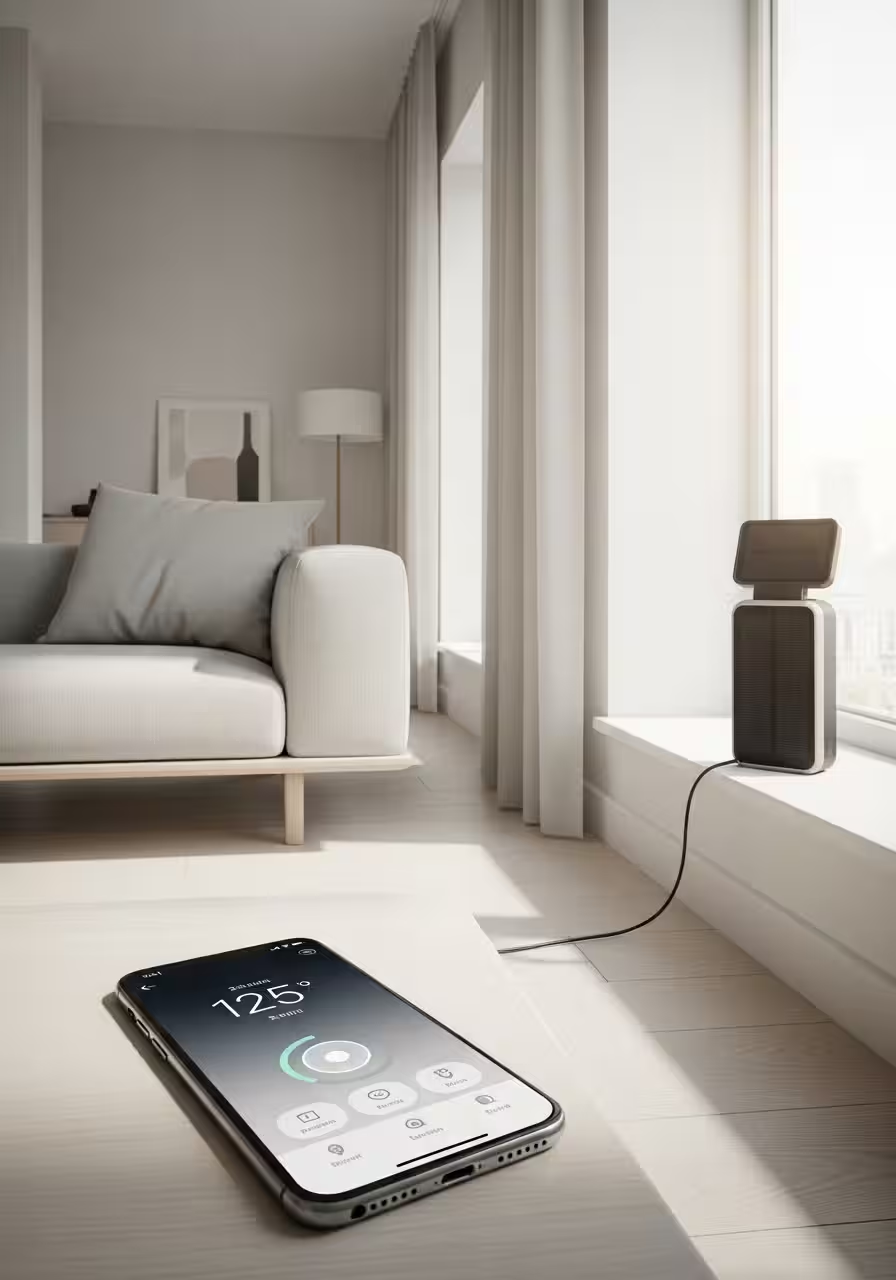
    Modern mug warmers aren’t just hot plates from the ’90s. Today’s versions feature precise temperature control, letting you set your ideal drinking temperature (anywhere from 120°F to 150°F, typically) and maintain it indefinitely. Some models include companion coasters with auto-shutoff sensors that detect when your mug is removed, while others sync with apps to remember your preferences for different beverages.

    The gravity-sensor versions deserve special mention—they only activate when they detect the weight of your mug, saving energy and preventing you from accidentally heating your desk.

    Self-Heating Smart Mugs: Take It With You

    For the truly committed, self-heating smart mugs are the ultimate splurge. These battery-powered marvels keep your beverage at your preferred temperature for hours, whether you’re at your desk, in a meeting, or curled up on the couch. The premium models connect to your phone, letting you adjust temperature on the fly and even track your caffeine intake if you’re into that sort of thing.

    Yes, they’re expensive. Yes, they’re worth it. No, you cannot put a price on never drinking lukewarm coffee again.

    Wellness Tech for the Winter Blues

    Late winter isn’t just physically cold—it can be emotionally draining too. Cozy-tech extends beyond warmth to encompass wellness devices that help you survive the season with your mental health intact.

    Light Therapy Lamps: Fake Sunshine That Actually Works

    When sunset happens at 5 PM and you haven’t seen actual daylight in days, a quality light therapy lamp becomes essential. Modern versions are sleek enough to sit on your desk without looking medical, and they deliver 10,000 lux of bright white light that mimics natural sunshine. Use one for 20-30 minutes in the morning while you’re checking emails, and you might actually remember what having energy feels like.

    Look for lamps with adjustable brightness, UV-free LED bulbs, and a generous surface area for maximum light exposure.

    Heated Eye Masks: The Ultimate Reset Button

    Whether you’re dealing with screen fatigue, tension headaches, or just need to signal to your nervous system that it’s time to relax, heated eye masks have become wellness game-changers. The USB-rechargeable versions offer gentle heat (usually around 104°F) and often include optional aromatherapy inserts filled with lavender or chamomile.

    Fifteen minutes with a heated eye mask in the afternoon can be the difference between powering through your day and collapsing in a heap of winter exhaustion.

    Aromatherapy Diffusers with Humidifiers: Two Problems, One Solution

    Winter air is criminally dry, wreaking havoc on your skin, sinuses, and general sense of wellbeing. Modern ultrasonic diffusers that double as humidifiers add moisture to your air while dispersing essential oils that can boost mood and energy. Eucalyptus for congestion, peppermint for alertness, lavender for sleep—it’s like having a tiny spa operating in the corner of your room.

    The smart models let you schedule operation times and control mist intensity from your phone, because nothing says “living in the future” like adjusting your room’s humidity from bed.

    The Feet Situation

    Your extremities suffer most in winter, and cold feet are a special kind of misery. Cozy-tech has solutions.

    Heated Slippers and Socks: The Foundation of Indoor Comfort

    Battery-powered heated slippers have evolved into actually stylish options that you wouldn’t be embarrassed to wear during a video call. The best ones feature memory foam insoles, adjustable heat settings, and rechargeable batteries that last 4-6 hours. For overnight comfort, electric heated socks plug into USB battery packs and can keep your feet warm without the fire hazard of an electric blanket.

    Some devoted users swear by heated insoles—slipping them into your regular shoes transforms any footwear into winter-ready warmth dispensers.

    Foot Warming Pads: The Under-Desk Essential

    For those who work from home, a heated foot pad under your desk can be revelatory. These use far less energy than heating an entire room and create a cozy microclimate right where you need it most. Look for ones with multiple temperature settings and easy-to-clean surfaces, because this will quickly become the most-used item in your home office.

    Creating Your Cozy-Tech Ecosystem

    The real magic happens when you combine these technologies strategically. Here’s how to build your ultimate late-winter sanctuary:

    The Work-From-Home Setup

    Heated foot pad beneath your desk, wearable blanket wrap over your shoulders, smart mug warmer keeping your third cup of coffee at exactly 142°F, and a light therapy lamp fighting the February gloom. You’ve just created a productivity cocoon that makes getting through spreadsheets almost pleasant.

    The Evening Wind-Down Routine

    Aromatherapy diffuser running with lavender, heated eye mask for 15 minutes after dinner, then settling onto the couch with your USB-heated throw blanket and self-heating mug of tea. This is hygge meets silicon valley, and it’s exactly what you need.

    The Weekend Recovery Station

    Full wearable heated blanket, heated slippers, a good book, and your favorite warm beverage at the perfect temperature. This is where you recover from the week and remember what it feels like to be truly warm.

    The Investment Question

    Quality cozy-tech isn’t cheap, but consider this: heating your entire home costs significantly more than strategically warming just yourself. A heated blanket, mug warmer, and foot pad together use less electricity than running your heating system a few degrees higher. Plus, they’re useful year-round—heated blankets work in air-conditioned offices, mug warmers keep summer iced coffee from watering down, and foot warmers combat perpetually cold office spaces.

    Think of it as investing in your comfort infrastructure. These aren’t frivolous gadgets; they’re tools for making your living space genuinely livable during the most challenging time of year.

    The Bottom Line

    Late winter demands more from us than early winter. The novelty has worn off, the resilience is depleted, and there are still weeks of cold ahead. This is exactly when strategic comfort technology stops being indulgent and starts being essential.

    You can’t control the weather. You can’t make spring arrive faster. But you can create a warm, comfortable, light-filled sanctuary that makes the wait bearable—even pleasant. In an age where we have the technology to keep our coffee at precisely 143°F and our feet perpetually warm, there’s no reason to suffer through February like our ancestors did.

    So go ahead. Wrap yourself in that heated blanket. Invest in the smart mug. Turn your home into a high-tech haven against the cold. Spring will come eventually. Until then, you might as well be comfortable.


    Stay cozy out there. Or rather, stay cozy in there. That’s kind of the whole point.

  • Energy Independence: Smart Home Tech to Slash Your Bills

    Energy Independence: Smart Home Tech to Slash Your Bills

    Outsmarting rising utility costs while upgrading your home’s IQ

    Your electricity bill arrived this month, and once again, the number made you wince. Meanwhile, your thermostat is cooling an empty house, your water heater is working overtime, and you’re essentially hemorrhaging money to keep the lights on. Sound familiar?

    Here’s the truth that utility companies don’t advertise: the smartest way to save money isn’t by suffering through sweltering summers or shivering winters. It’s by making your home intelligent enough to stop wasting energy in the first place.

    Welcome to the era of energy independence, where technology doesn’t just add convenience—it actually pays you back.

    The New Math of Home Economics

    Traditional advice about saving energy usually involves sacrifice: turn off lights, take shorter showers, wear a sweater indoors. But smart home technology flips this equation entirely. Instead of doing less with less, you’re doing more with dramatically less energy consumption.

    The average American household spends roughly $2,000 annually on energy bills. Studies show that smart home devices can reduce energy consumption by 10-30%, translating to $200-$600 in annual savings. More importantly, these aren’t one-time savings—they compound year after year, while the initial investment remains fixed.

    Think of it as installing a money-printing machine that happens to also make your life more comfortable.

    Smart Thermostats: The Foundation of Energy Independence

    If you’re going to make one upgrade to reduce your energy bills, start here. Smart thermostats like the Nest Learning Thermostat, Ecobee SmartThermostat, or Honeywell Home T9 are the heavyweight champions of energy savings.

    How they pay for themselves:

    Traditional programmable thermostats require you to set schedules manually—and let’s be honest, how many of us actually did that correctly? Smart thermostats learn your patterns automatically. They know when you leave for work, when you return, and when you’re sleeping. They adjust temperatures room by room based on occupancy sensors, and they can even respond to weather forecasts to pre-cool or pre-heat your home during off-peak hours when electricity is cheaper.

    The Nest thermostat, for example, has been shown to save users an average of 10-12% on heating bills and 15% on cooling bills. For a household spending $150 monthly on heating and cooling, that’s roughly $270-$405 saved annually. With smart thermostats typically priced between $120-$250, you’re looking at payback in less than a year.

    The intelligence factor:

    Modern smart thermostats integrate with your entire smart home ecosystem. They can detect when you’ve left home via your smartphone’s location, turn off when you open windows (using door/window sensors), and even adjust based on humidity levels to maximize comfort while minimizing energy use. Some models like the Ecobee come with remote sensors that eliminate hot and cold spots by measuring temperature in multiple rooms.

    Solar-Powered Gadgets: Free Energy, Literally

    While solar panels for your entire home remain a significant investment, solar-powered gadgets offer an accessible entry point into energy independence. These devices harness free sunlight to power themselves, completely eliminating their draw from your electrical grid.

    Smart solar outdoor lighting:

    Solar pathway lights, security lights, and even solar-powered string lights have evolved far beyond the dim, unreliable versions from a decade ago. Modern options like Ring Solar Pathlight or Aootek Solar Motion Sensor Lights provide bright, reliable illumination without adding a cent to your electricity bill.

    For outdoor security lighting alone, households can spend $50-$150 annually. Solar alternatives eliminate this cost entirely while providing the same (or better) functionality.

    Solar-powered outdoor cameras and doorbells:

    Security devices like the Ring Stick Up Cam Solar or Reolink Argus 3 Pro combine home security with energy independence. These cameras continuously recharge via solar panels, eliminating the need for battery changes or electrical wiring. Beyond the obvious energy savings, the installation flexibility means you can place cameras in optimal locations without worrying about power outlet proximity.

    Solar attic fans and ventilation:

    Solar attic fans reduce cooling costs by expelling hot air from your attic before it radiates into your living space. On sunny summer days—exactly when you need cooling most—these fans work hardest. They can reduce attic temperatures by 30-50°F, which translates directly into reduced air conditioning runtime and lower cooling bills.

    Smart Power Strips: Eliminating Phantom Power Drain

    Here’s an invisible enemy: phantom power drain. Even when turned “off,” many devices continue drawing power—televisions, gaming consoles, phone chargers, coffee makers. This standby power accounts for 5-10% of residential energy use, costing the average household roughly $100-$200 annually.

    Smart power strips like the Kasa Smart Plug Power Strip or APC Smart Plug automatically cut power to devices when they’re not in use. You can set schedules (why should your TV draw power at 3 AM?) or control outlets remotely through smartphone apps.

    The beauty of smart power strips is their simplicity. Plug them in, set your preferences once, and they silently save you money month after month. With prices starting around $25-$40 and potential annual savings of $100-$150, these are some of the fastest-ROI devices you can buy.

    Smart Water Heaters and Leak Detectors: Stopping Energy (and Money) from Going Down the Drain

    Water heating accounts for roughly 18% of your home’s energy consumption. Smart water heater controllers like the Aquanta or Rheem EcoNet allow you to optimize your water heater’s operation, heating water only when needed and at the most energy-efficient times.

    But here’s where it gets interesting: smart leak detectors like Flo by Moen or Phyn Plus don’t just prevent catastrophic water damage—they identify inefficient water use patterns. That constantly running toilet? It could be costing you $200-$400 annually in wasted water. These systems alert you to leaks immediately and can automatically shut off your water supply to prevent damage.

    The return on investment here goes beyond energy savings into damage prevention. A single water leak can cause thousands in damage, making the $400-$500 investment in a smart water management system look modest by comparison.

    Smart Blinds and Window Treatments: The Forgotten Energy Savers

    Windows are the weak point in your home’s thermal envelope. In summer, they let in heat; in winter, they let warmth escape. Smart blinds and shades like those from Lutron, IKEA’s FYRTUR, or MySmartBlinds address this by automatically adjusting throughout the day.

    These systems can close blinds during peak heat hours in summer, open them to capture passive solar heating in winter, and adjust based on whether you’re home or away. The Department of Energy estimates that smart shading can reduce heat gain by up to 45% and heat loss by up to 25%.

    While the upfront cost is higher than traditional window treatments—typically $200-$400 per window—the energy savings (estimated at 10-20% of heating and cooling costs) combined with the longevity and added home value make them a worthwhile investment for many homeowners.

    Energy Monitoring Systems: Knowledge Is Power (Savings)

    You can’t manage what you don’t measure. Energy monitoring systems like Sense Home Energy Monitor, Emporia Vue, or Neurio give you real-time visibility into exactly where your electricity is going.

    These devices install in your electrical panel and break down your energy consumption by individual appliance and circuit. You’ll discover that your ancient refrigerator is costing you $150 annually in excess electricity, or that your gaming PC’s 24/7 operation is adding $200 to your yearly bills.

    Armed with this information, you can make targeted upgrades and behavioral changes that generate the highest return. Many users report that simply having visibility into their energy consumption reduces usage by 5-15% through increased awareness alone.

    The Compounding Effect: Building Your Energy Independence Stack

    The real magic happens when these technologies work together. Your smart thermostat communicates with your smart blinds to optimize temperature control. Your energy monitor identifies vampire power drains that your smart plugs eliminate. Your solar-powered outdoor devices reduce grid dependency while your smart water heater shifts consumption to off-peak hours.

    Each device individually pays for itself. Together, they create a synergistic system that transforms your home from an energy liability into an efficient, intelligent space that actively works to reduce costs.

    The Investment Mindset: Calculating Your Payback Period

    Let’s run some realistic numbers for a modest smart home energy upgrade:

    • Smart thermostat: $200 (saves $300-$400/year)
    • Smart power strips (3): $90 (saves $100-$150/year)
    • Solar outdoor lighting: $200 (saves $75-$100/year)
    • Energy monitor: $300 (enables 5-10% additional savings via awareness)

    Total investment: $790 Conservative annual savings: $500-$700 Payback period: 13-19 months

    After payback, these savings continue indefinitely while your initial investment remains fixed. Over a 10-year period, you’re looking at $5,000-$7,000 in cumulative savings for an initial $790 investment—that’s a 532-786% return.

    Meanwhile, you’ve also increased your home’s resale value, improved comfort, gained convenience through automation, and reduced your environmental footprint. Not many investments offer that combination of financial return and lifestyle improvement.

    Making the Transition: A Practical Roadmap

    Start with the highest-impact, lowest-cost improvements and build from there:

    Phase 1 (Months 1-2): Quick Wins Install smart power strips and begin monitoring their impact. These require no professional installation and start saving immediately.

    Phase 2 (Months 3-4): The Core Investment Install a smart thermostat. This is your highest-ROI upgrade and sets the foundation for your smart home ecosystem. Many utility companies offer rebates that can reduce the cost by $50-$100.

    Phase 3 (Months 5-6): Visibility and Optimization Add an energy monitoring system to identify specific consumption patterns and opportunities for additional savings.

    Phase 4 (Ongoing): Incremental Additions Replace outdoor lighting with solar options as existing fixtures need replacement. Consider smart blinds when updating window treatments. Add smart water management when replacing or upgrading water heaters.

    The Bottom Line: Your Home as a Financial Asset

    Rising utility costs aren’t going away. If anything, energy prices are likely to increase as demand grows and infrastructure ages. But you don’t have to be a passive victim of these increases.

    Smart home technology represents a fundamental shift in how we think about energy consumption. Instead of paying for waste, you’re investing in efficiency. Instead of sacrificing comfort for savings, you’re using intelligence to optimize both.

    The question isn’t whether you can afford to make your home smarter—it’s whether you can afford not to. Every month you wait is another month of unnecessary energy bills, another $50-$100 that could have stayed in your pocket.

    Your home is probably your largest financial investment. Isn’t it time it started working to make you money instead of costing you money?

    The technology exists. The savings are proven. The payback is measurable. All that’s left is the decision to take control of your energy independence—and start slashing those bills.


    Ready to start your journey toward energy independence? Begin by calculating your current energy costs and identifying which smart devices would generate the highest return for your specific situation. Your first step toward lower bills is just a smart decision away.

  • Spa-Day Secrets: Medical-Grade Beauty Without the Appointment

    Spa-Day Secrets: Medical-Grade Beauty Without the Appointment

    You know that glowing, dewy-skinned feeling you get walking out of a facial? The one that costs $200 and fades by Tuesday? What if I told you that same professional-grade glow is sitting in your bathroom cabinet, waiting for you at 10 PM on a Wednesday in your softest robe?

    The beauty industry’s best-kept secret isn’t a secret anymore: the technology once reserved for dermatologist offices and high-end spas has quietly migrated into refillable bottles and sleek at-home devices. And here’s the plot twist—investing in these medical-grade products and tools actually saves you money while being kinder to the planet.

    The Math That Makes Luxury Make Sense

    Let’s talk numbers for a moment. A single professional microdermabrasion treatment runs between $100-$200. A series of LED light therapy sessions? Easily $1,500-$3,000. Now consider that a medical-grade at-home LED mask costs around $300-$500 and lasts for years, or a quality microdermabrasion device runs $100-$200 with unlimited uses.

    The return on investment is staggering, but it goes beyond dollars. It’s about reclaiming your time, your schedule, and that small but significant autonomy of treating yourself whenever you need it most—not whenever you could snag an appointment three weeks out.

    The Refillable Revolution: Luxury That Doesn’t Cost the Earth

    Here’s where indulgence meets intelligence. The refillable beauty movement isn’t about sacrificing quality for sustainability—it’s about brands finally realizing we’re tired of paying for fancy packaging over and over again.

    La Mer, yes that La Mer, now offers refills for their iconic Crème de la Mer. One original jar, endless refills at 20-30% less per ounce. Kjaer Weis has built an entire luxury makeup line around refillable compacts that feel like jewelry. Augustinus Bader’s refill program lets you keep that beautiful bottle while cutting costs and waste.

    But the real game-changer? Medical-grade skincare brands like SkinCeuticals, SkinMedica, and Alastin now offer professional-strength formulations—the exact products your dermatologist uses—available for home use. These aren’t diluted consumer versions. These are the real deal, with clinical concentrations of actives that actually change your skin at a cellular level.

    The Technology Worth the Investment

    Not all at-home devices are created equal, but these have earned their cult followings for good reason:

    LED Light Therapy Masks — NASA-developed technology (yes, really) that’s now proven to stimulate collagen production, reduce inflammation, and accelerate healing. The Omnilux Contour Face mask or CurrentBody LED masks deliver the same wavelengths used in professional settings. Use it while answering emails, watching TV, or plotting world domination. Results appear in 4-6 weeks with consistent use.

    Microcurrent Devices — Think of these as a gym membership for your face. The NuFace Trinity or ZIIP Beauty devices send gentle electrical currents that tone facial muscles and boost ATP production (your skin’s energy currency). Estheticians charge $200+ per session for this. You can do it daily at home for the cost of one professional treatment.

    High-Frequency Wands — That violet-glowing glass wand your esthetician uses to zap breakouts? You can own one for under $50. It uses ozone to kill acne-causing bacteria and stimulate circulation. Dermatologists have used this technology for over a century.

    Dermaplaning and Microdermabrasion Tools — Professional exfoliation without the markup. The Dermaflash or PMD Personal Microderm remove dead skin cells and peach fuzz, allowing your expensive serums to actually penetrate. One device replaces years of professional treatments.

    The Serums Worth Splurging On (And Refilling)

    When you’re investing in at-home treatments, you need products that work as hard as professional-grade formulations. These are worth every penny:

    Vitamin C Serums with L-Ascorbic Acid — SkinCeuticals C E Ferulic is the gold standard (and yes, they offer refills). The research behind this formulation is ironclad. It prevents and reverses sun damage, stimulates collagen, and brightens like nothing else. A professional Vitamin C peel costs $150-$300. This serum delivers results daily.

    Prescription-Strength Retinoids — Tretinoin (Retin-A) is available by prescription and costs $20-$75 for a tube that lasts months. Compare that to a single professional retinol peel at $200-$400. The long-term results are actually superior because you’re consistently treating your skin rather than relying on sporadic appointments.

    Growth Factor Serums — Products like SkinMedica TNS Advanced+ Serum or Alastin Regenerating Skin Nectar contain the same growth factors used in post-procedure recovery. They signal your skin to behave younger. One bottle might cost $200-$300, but it replaces multiple professional treatments costing thousands.

    Hyaluronic Acid Injectables… for Your Vanity — Not literal injectables, but professional-grade HA serums like Skinceuticals Hyaluronic Acid Intensifier or The Ordinary’s budget-friendly option plump skin from the outside. Pair them with your microcurrent device for results that rival (though don’t fully replace) professional fillers.

    The Sustainable Luxury Mindset

    Here’s what makes this approach truly revolutionary: you’re not just saving money and time. You’re opting out of the endless cycle of consumption that the beauty industry thrives on.

    Every refill you purchase is one less glass bottle manufactured, shipped, and eventually discarded. Every at-home treatment is one less drive to an appointment. The luxury isn’t just in the results—it’s in the intention. You’re choosing quality over quantity, longevity over disposability, and self-sufficiency over dependency.

    Brands like Grown Alchemist, RMS Beauty, and Tata Harper have made refillability central to their luxury positioning, proving that sustainability isn’t a compromise—it’s an upgrade.

    Building Your At-Home Spa Ritual

    The secret to making this work isn’t just buying the right products. It’s creating a ritual that feels indulgent enough to actually do consistently.

    Set the scene. Light a candle (may I suggest a refillable one from Boy Smells or Diptyque?). Put on a playlist. Make it an experience, not a chore. Your bathroom becomes your sanctuary, your device becomes your tool, and that 20-minute routine becomes the most valuable appointment in your week—the one with yourself.

    Start with one or two hero products or devices. Master them. See results. Then build from there. A quality LED mask paired with a medical-grade vitamin C serum will transform your skin more than a dozen sporadic facials ever could.

    The Permission Slip You Didn’t Know You Needed

    Here’s your reminder: investing in yourself isn’t selfish. Spending $300 on a device that will serve you for five years isn’t frivolous. Choosing a $150 serum that actually works instead of twelve $30 serums that don’t isn’t wasteful—it’s wise.

    You deserve professional-grade results. You deserve products that don’t insult your intelligence with inflated claims and deflated concentrations. You deserve the satisfaction of looking in the mirror and seeing the evidence of your own capable hands caring for your skin.

    The spa-day glow isn’t locked behind an appointment book or a facialist’s door. It’s in your bathroom, waiting for you to claim it. Refillable, repeatable, and entirely on your own terms.


    What at-home beauty tech or medical-grade products have transformed your routine? The comments are your space to share your sustainable luxury discoveries.

  • The “Under $20” Refresh: Best Finds from the Amazon Haul

    The “Under $20” Refresh: Best Finds from the Amazon Haul

    That “new house” feeling for less than the price of your lunch delivery.

    You know that specific dopamine hit when you rearrange a room, swap out your old bath mat, or finally replace that sad kitchen sponge holder? That flush of satisfaction that whispers, I’m getting my life together? Yeah, that feeling doesn’t require a trust fund or a complete home makeover.

    Welcome to the under-$20 refresh—where small changes create big impact, and your bank account actually smiles back at you.

    Why the Budget Haul Works

    There’s something genuinely thrilling about maximizing value. It’s not about being cheap; it’s about being smart. When you find a $12 item that looks like it costs $50, you’ve basically won at capitalism. Plus, these smaller purchases are low-commitment—if something doesn’t work in your space, you’re out the cost of a fancy coffee, not your monthly rent.

    Let’s dive into the finds that actually deliver.


    Kitchen & Dining: Where Function Meets Style

    1. Magnetic Spice Rack Tins (Set of 12) – ~$16

    These little hexagonal or square tins stick to your fridge or any magnetic surface, instantly transforming your spice chaos into an organized, Pinterest-worthy display. Fill them with your own spices, label them with the included stickers, and suddenly you’re the kind of person who has their spices visible and accessible. Revolutionary.

    The vibe: Minimalist chef who definitely didn’t just eat cereal for dinner.

    2. Silicone Pot Holders & Trivets – ~$11

    Forget those sad, stained fabric pot holders from 2015. These silicone ones are heat-resistant up to 450°F, easy to clean (just toss them in the dishwasher), and come in colors that don’t scream “I gave up.” Bonus: they double as jar openers and non-slip surfaces.

    The vibe: Competent adult who can handle hot things without panic.

    3. Bamboo Drawer Organizers (Set of 5) – ~$18

    Your “junk drawer” doesn’t have to be a dystopian nightmare. These adjustable bamboo dividers create designated homes for batteries, rubber bands, that one Allen wrench, and whatever else lives in there. Natural bamboo looks expensive and intentional—even when organizing chaos.

    The vibe: Marie Kondo’s practical cousin.


    Bathroom: Small Space, Big Upgrade

    4. Shower Caddy with Drainage Holes – ~$15

    No one talks about how much a good shower caddy can change your life, but here we are. Get one with proper drainage (moldy soap is not a personality trait) and enough compartments for all your color-depositing shampoo, fancy conditioner, and that body wash you impulse-bought because it smelled like vacation.

    The vibe: Spa day, every day (or at least trying).

    5. Microfiber Hair Towel Wrap – ~$9

    These ultra-absorbent towels cut drying time in half and don’t leave your neck sore from balancing a full-sized towel turban. Whether you have curls, straight hair, or something in between, this is one of those “why didn’t I buy this sooner?” items.

    The vibe: Someone who has their post-shower routine down.

    6. Clear Acrylic Makeup Organizer – ~$13

    Drawer clutter? Not here. These stackable organizers give everything a designated spot—lipsticks, brushes, skincare samples you swear you’ll use. The clear acrylic looks clean and modern, making your bathroom counter look like it belongs to someone who definitely doesn’t lose their keys twice a week.

    The vibe: Put-together human with visible skincare routine.


    Living Room & Bedroom: Comfort on a Budget

    7. Velvet Throw Pillow Covers (2-Pack) – ~$12

    Want to refresh your couch without buying a whole new couch? Pillow covers. Specifically, velvet ones that look luxe and feel like you’re hugging a cloud. They come in every color imaginable, so you can match your existing decor or completely switch up the vibe.

    The vibe: Interior designer on a budget (aren’t we all?).

    8. LED Strip Lights with Remote – ~$15

    Ambient lighting is the difference between “apartment” and “home.” These stick-on LED strips go behind your TV, under your bed frame, or along shelves to create mood lighting that’s fully customizable. Warm white for cozy nights, cool blue for productivity, or purple because why not.

    The vibe: Atmospheric mood-setter extraordinaire.

    9. Cable Management Clips & Sleeves – ~$10

    Look, no one wants to see a tangle of charging cables, but everyone has them. These simple clips and fabric sleeves hide cords along desks, walls, and entertainment centers. It’s a tiny change that makes your space look 200% more intentional.

    The vibe: Not someone whose life is held together by visible cables.


    Organization & Productivity: Get It Together

    10. Acrylic Desktop Organizer – ~$14

    A designated spot for pens, sticky notes, paper clips, and that USB drive you always lose. This three-tiered organizer keeps your desk functional without looking like an office supply store exploded.

    The vibe: Someone who could probably find their passport in under five minutes.

    11. Slim Velvet Hangers (50-Pack) – ~$20

    Yes, 50 hangers for $20. And yes, they’ll instantly upgrade your closet. Velvet hangers prevent clothes from slipping off, take up less space than plastic ones, and make your closet look like it belongs to someone who has their wardrobe sorted by color (even if you absolutely do not).

    The vibe: Capsule wardrobe aspirant.

    12. Collapsible Storage Bins (Set of 3) – ~$17

    These fabric bins fit perfectly on shelves, in closets, or under beds. When you’re not using them, they fold flat for storage. Use them for seasonal clothes, extra blankets, or that ever-growing pile of reusable grocery bags.

    The vibe: Prepared for guests with actual clean linens to offer.


    Outdoor & Entryway: First Impressions Matter

    13. Boot Tray with Elevated Grid – ~$13

    Winter slush, muddy shoes, wet boots—this tray catches it all. The elevated grid keeps footwear from sitting in puddles, and the tray itself prevents water damage to your floors. Revolutionary? No. Necessary? Absolutely.

    The vibe: Homeowner who respects their floors.

    14. Solar-Powered LED Path Lights (6-Pack) – ~$19

    No wiring, no electricity bill—just stick these in the ground along your walkway or garden and let the sun do the work. They automatically turn on at dusk and add a welcoming glow to your entryway.

    The vibe: Curb appeal without the electrician fees.


    Self-Care & Wellness: Small Luxuries

    15. Jade Roller & Gua Sha Set – ~$10

    Whether these actually de-puff your face or just feel nice is up for debate, but at $10, who cares? Keep them in the fridge for an extra-refreshing morning ritual. At minimum, it’s five minutes of intentional self-care.

    The vibe: Wellness girlie (gender-neutral).

    16. Aromatherapy Essential Oil Diffuser – ~$16

    A good-looking diffuser transforms any room into a calm, pleasant-smelling sanctuary. Add a few drops of lavender for sleep, eucalyptus for focus, or citrus for energy. It’s cheaper than therapy and smells better.

    The vibe: Has their life together (or at least their room smells like it).


    The Bottom Line

    You don’t need a massive budget to create a space that feels fresh, organized, and intentionally yours. These under-$20 finds prove that small, strategic upgrades can completely shift the energy of your home—and your day.

    So go ahead: treat yourself to that new drawer organizer. Swap out those old pot holders. Add some mood lighting. Your space (and your mood) will thank you.

    Total damage for all 16 items? Around $225—but you don’t need all of them. Pick 3-5 that speak to your current pain points, and you’re looking at less than $60 to refresh your entire vibe.

    That’s less than a night out. And unlike that night out, these purchases will still be making you happy next month.


    What’s your favorite budget find that completely changed your space? Drop it in the comments—we’re always looking for the next great under-$20 gem.