You know the feeling. It’s 3 PM, you’re halfway through your sixth video call of the day, and you’re already dreading the seventh. Your eyes feel like sandpaper. Your shoulders are somewhere up near your ears. And despite sitting in a $600 ergonomic chair, you feel like you’ve run a marathon—except the only thing that moved was your cursor.
Welcome to Zoom fatigue, the modern workplace epidemic that no amount of standing desks can cure.
But here’s what most people miss: traditional ergonomics solved yesterday’s problems. They gave us better chairs for typing-heavy work and adjustable desks for posture. What they didn’t account for was spending 40+ hours a week staring into a camera, being stared back at, while sitting completely still.
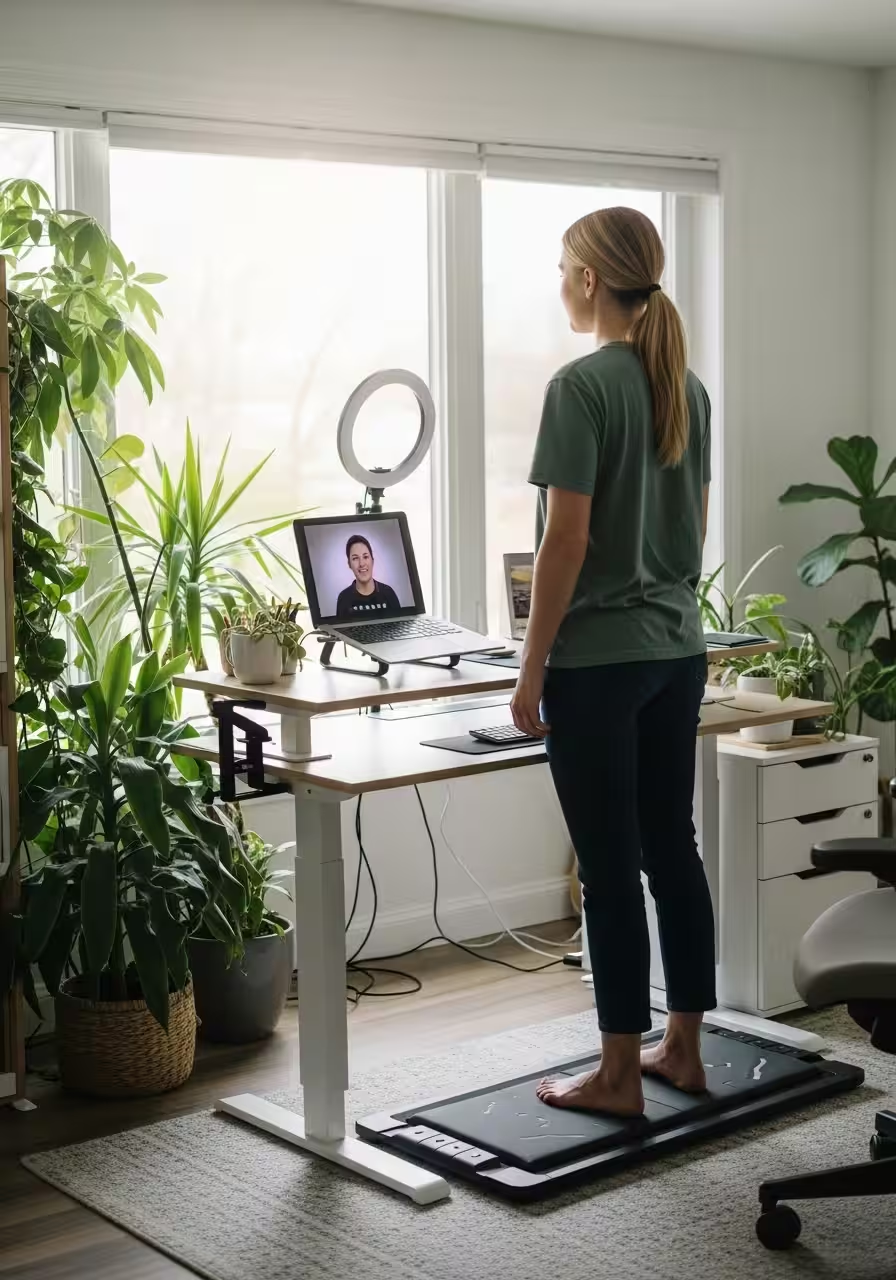
The solution? Office Ergonomics 2.0—a new approach that goes beyond furniture to address the unique drains of video-heavy work: lighting that makes you look (and feel) human, movement that happens while you work, and strategic breaks for your overstimulated brain.
The Real Problem: Why Video Calls Exhaust You
Before we fix it, let’s understand what’s actually happening. Zoom fatigue isn’t just tiredness—it’s a perfect storm of modern work stressors:
The Mirror Effect: Imagine going to in-person meetings with a mirror pointed at your face all day. That’s essentially what video calls do. Research from Stanford shows that this constant self-view triggers anxiety and hyper-awareness of how we appear to others.
Cognitive Overload: In face-to-face conversations, your brain effortlessly processes dozens of non-verbal cues. On video, those cues are delayed, pixelated, or missing entirely. Your brain works overtime trying to decode them, burning through mental energy at an alarming rate.
The Statue Syndrome: Traditional office work at least allowed you to shift, stand, walk to the printer, or grab coffee. Video calls chain you to one spot, within camera frame, often for hours at a time. Your body wasn’t designed for this kind of stillness.
Bad Lighting = Bad Energy: Ever notice how you look gray and exhausted on camera even when you’re not? That harsh overhead lighting isn’t doing you any favors. And here’s the thing: when you look tired, you start to feel tired. It’s a psychological feedback loop that drains your energy faster than the meetings themselves.
The Lighting Fix: Look Better, Feel Better
Let’s start with the simplest upgrade that delivers outsized results: clamp-on lighting.
Not ring lights. Not expensive studio setups. Just smart, adjustable lighting that makes you look like the alive, competent human you actually are.
Why It Matters
Good lighting does three things simultaneously:
- Reduces eye strain by eliminating harsh shadows and bright spots
- Boosts confidence when you see yourself looking professional and energized
- Improves focus by creating visual boundaries between “work mode” and “off mode”
What to Get
Look for LED clamp lights with three key features:
- Adjustable color temperature (2700K-6500K range): Warm light for late afternoon calls, cooler light for morning energy
- Dimming capability: Brightness that adapts to your natural lighting throughout the day
- Flexible gooseneck or arm: Position it at 45 degrees from your face, slightly above eye level
Position one light on each side of your monitor, angled toward your face. This creates soft, even lighting that eliminates the “interrogation room” vibe of overhead fluorescents.
Pro tip: Set your lighting temperature to match your energy needs. Morning brainstorm? Go cooler (5000K+) for alertness. Afternoon creative session? Warmer tones (3500K) reduce strain.
The investment? About $40-80 for a quality clamp light. The return? You’ll actually want to turn your camera on.
The Movement Solution: Walk While You Work
Now for the game-changer: under-desk walking pads.
Yes, treadmills for your desk. No, you won’t look ridiculous. Yes, it actually works.
The Science of Moving Meetings
Studies from the Mayo Clinic show that gentle walking (1.5-2 mph) during cognitive tasks actually improves focus and creativity. The movement increases blood flow to your brain without demanding enough attention to distract from your work.
More importantly, it breaks the “statue syndrome.” Your body gets to do what it’s designed for—move—while your mind stays engaged with work.
What to Look For
The best under-desk walking pads have:
- Ultra-quiet motors (under 45 decibels): Your colleagues shouldn’t hear your workout
- Flat, space-saving design: Slides under most desks when not in use
- Simple controls: Speed adjustment via remote, no complicated interfaces
- Non-slip surface: Safety first, especially during animated discussions
How to Use It
Start small. Walk during:
- One-on-one check-ins where you’re mostly listening
- Large team meetings where you’re not presenting
- Podcast-style calls or webinars
Gradually work up to walking during more active participation. Most people find that 1.5 mph is the sweet spot—fast enough to feel energized, slow enough to type or take notes comfortably.
The 2-Hour Rule: Aim to spend at least two hours of your workday on the pad. That’s 3-4 miles of walking you wouldn’t have gotten otherwise, plus the compounding benefits of sustained movement.
The investment? $200-400 for a solid walking pad. The return? You’ll finish your eighth Zoom call with energy to spare.
The Screen Strategy: Work With Your Biology, Not Against It
Even with perfect lighting and movement, your eyes need a break from screens. Ergonomics 2.0 means being strategic about when and how you’re on camera.
The 20-20-20 Rule, Upgraded
Traditional advice says every 20 minutes, look at something 20 feet away for 20 seconds. Great in theory. Impossible during back-to-back meetings.
The upgrade: Strategic camera breaks.
During longer meetings:
- Turn your camera off during screen shares (you’re not the focus anyway)
- Look away from the screen during the first 60 seconds of calls (you’re still present, just protecting your eyes)
- Stand and look out a window during natural transitions
The Camera-Off Manifesto
Normalize camera-off meetings when faces don’t add value. Internal brainstorms? Status updates? Deep work sessions? Your colleagues don’t need to see you nodding.
Save your camera energy for:
- Client presentations
- First-time introductions
- Sensitive conversations where non-verbal cues matter
- Team celebrations and social events
This isn’t about hiding. It’s about preserving your mental bandwidth for when it actually counts.
Putting It All Together: Your Anti-Fatigue Setup
Here’s what Office Ergonomics 2.0 looks like in practice:
Morning (Peak energy, maximum camera time)
- Clamp lights set to 5500K (bright, energizing)
- Camera on for important meetings
- Walking pad at 1.5 mph during routine check-ins
Afternoon (Energy dip, strategic conservation)
- Lights dimmed to 4000K (softer, less strain)
- Camera off during less critical calls
- Walking pad for movement, standing breaks for variety
Late Day (Preservation mode)
- Lights at 3000K (warm, easy on eyes)
- Camera reserved for essential meetings only
- Seated work for tasks requiring deep focus
The Bottom Line
Traditional ergonomics asked: “How do we make sitting comfortable?”
Ergonomics 2.0 asks: “How do we make video-heavy work sustainable?”
The answer isn’t a better chair. It’s a complete rethinking of your workspace to address the unique demands of constant video presence.
Clamp-on lighting makes you look—and feel—like a functioning human. Under-desk walking pads keep your body engaged while your mind stays focused. And strategic screen breaks protect your eyes and attention for when they matter most.
Will this completely eliminate Zoom fatigue? No. Video calls are inherently draining, and no amount of optimization changes that fact.
But it can transform your workday from exhausting to manageable. From dreading your seventh meeting to having the energy to actually participate in it.
Because the future of work isn’t just remote—it’s video-heavy. And thriving in that future means upgrading your ergonomics to match.
Your Turn: What’s draining you most during video calls? The lighting, the stillness, or something else entirely? The most effective ergonomics solutions are the ones tailored to your specific pain points—start there, and build out your Ergonomics 2.0 setup from what hurts most.
Leave a Reply